Best Case Fans with ARGB: 15 Spec-Based Picks
As an Amazon Associate we earn from qualifying purchases. Links on this page are affiliate links.
Finding the best case fans with ARGB comes down to matching physical dimensions, connector types, and bearing styles to your enclosure. We evaluated 15 models using only the specifications published on their official listings. The Kingwin 120mm ARGB Infinity Mirror Fan takes the top spot because it combines standard 120mm bracket mounting with a hydraulic bearing and addressable infinity mirror lighting in a single slot.
This guide helps you choose the right fan size, frame thickness, and lighting configuration for your system layout.
Quick picks
The best fit for you
- You want an infinity mirror fan with hydraulic bearings Kingwin 120mm ARGB Infinity Mirror Fan It fits standard 120mm mounts while featuring a hydraulic bearing and ARGB infinity mirror lighting.
- You have a PC case with 200mm mounts Cooler Master MF200R 200mm ARGB Fan Its 200mm fan size provides large-scale airflow tailored specifically for oversized 200mm case mounts.
- You need to fill multiple case fan slots EZDIY-FAB Moonlight 120mm ARGB Fans (6-Pack) The package includes six 120mm ARGB fans paired with a centralized control hub.
- You have low clearance on your CPU cooler Thermalright 120mm Slim ARGB Fan Its 0.59-inch slim depth provides 120mm ARGB cooling without interfering with tight CPU cooler clearance.
Our 15 picks

Kingwin 120mm ARGB Infinity Mirror Fan
Best for: single-slot ARGB infinity mirror setups
- Lighting
- ARGB (what this guide is about)
- Fan Size
- 120mm
- Bearing Type
- Hydraulic
- Lighting Type
- ARGB
- Dimensions
- 4.72 × 4.72 × 4.72 inches
The Kingwin 120mm ARGB Infinity Mirror Fan is a single 120mm case fan designed for standard PC chassis mounts. It features addressable RGB lighting paired with an infinity mirror visual element and operates on a hydraulic bearing. Its 4.72-inch square frame mounts to standard 120mm fan locations. If you need an individual black case fan with addressable illumination, this model gives you standard physical dimensions and ARGB lighting.
Pros
- Addressable RGB lighting with infinity mirror styling
- Hydraulic bearing construction
- Standard 120mm sizing (4.72 by 4.72 inches)
- Available in single-pack and 3-pack configurations
Cons
- Fan speed (RPM) range is not specified in published data
- Airflow and noise level ratings are omitted from the specs
- Single-fan package does not include extra fans for multi-slot cases
Good fit if
- You need a single 120mm fan with addressable RGB lighting.
- You want an infinity mirror visual effect on your fan hub.
- You prefer a fan built with a hydraulic bearing.
Skip if
- You require explicit CFM airflow and noise decibel ratings before purchasing.
- You need larger mount sizes such as 140mm, 180mm, or 200mm.
Verdict: Kingwin 120mm ARGB Infinity Mirror Fan provides standard 120mm mounting with ARGB lighting and a hydraulic bearing. It serves as a straightforward single-slot addition when you want an infinity mirror visual style.

Cooler Master MF200R 200mm ARGB Fan
Best for: PC cases with 200mm fan mounting locations
- Lighting
- ARGB (what this guide is about)
- Fan Size
- 200 mm
- Lighting Type
- ARGB
- Dimensions
- 7.87 × 7.87 × 0.98 inches
- Weight
- 8.96 ounces
The Cooler Master MasterFan MF200R is a large 200mm case fan equipped with addressable RGB lighting. It fits cases configured for massive 200mm mounts rather than standard 120mm slots. You get ARGB sync certified with Asus Aura, ASRock RGB, and MSI RGB, alongside sound-absorbing rubber pads and a jam-protection sensor. It suits you if you need wide airflow and synced illumination for a compatible full-size chassis.
Pros
- Large 200mm diameter moves air over a broad surface area
- Certified ARGB support for Asus Aura, ASRock RGB, and MSI RGB
- Sound-absorbing rubber pads integrated for noise reduction
- Smart fan sensor stops the blades during cable snags
Cons
- Incompatible with standard 120mm or 140mm mounting brackets
- Gigabyte RGB Fusion certification is not listed in the specifications
- No standalone RGB controller included
Good fit if
- You have a PC chassis designed with 200mm fan mounts.
- You run an Asus Aura, ASRock RGB, or MSI RGB motherboard setup.
Skip if
- You need standard 120mm or 140mm fan sizes for your case.
- You require guaranteed Gigabyte RGB Fusion motherboard synchronization.
Verdict: Cooler Master MasterFan MF200R 200mm ARGB Fan delivers large-scale airflow with motherboard-synced illumination for cases built with 200mm brackets. It gives you certified RGB connectivity and built-in jam protection in an oversized form factor.
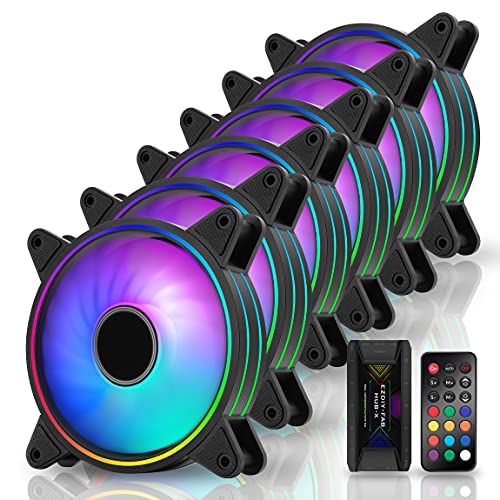
EZDIY-FAB Moonlight 120mm ARGB Fans (6-Pack)
Best for: multi-fan setups needing bundled hub control
- Lighting
- ARGB (what this guide is about)
- Fan Size
- 120 mm
- Max Airflow
- 26.16 CFM
- Bearing Type
- Self-lubricated
- Lighting Type
- ARGB
- Dimensions
- 4.72 × 0.98 × 4.72 inches
View on Amazon: EZDIY-FAB Moonlight 120mm ARGB Fans (6-Pack)
The EZDIY-FAB Moonlight 120mm ARGB Fan 6-Pack equips your PC with full lighting coverage right out of the box. You get six 120mm fans featuring tri-aperture ARGB loops, a dedicated Fan Hub X controller, and a 21-key remote. Lighting syncs with standard 5V 3-pin motherboard headers. Operating at 26.16 CFM with self-lubricated bearings, this set suits builders needing multiple synchronized ARGB fans managed through a single hub.
Pros
- Includes six 120mm fans with Fan Hub X and a 21-key remote
- Supports standard 5V 3-pin motherboard ARGB headers
- Features tri-aperture interior and exterior lighting rings
- Equipped with 8 anti-vibration rubber pads per unit
- Built with self-lubricating bearings to reduce friction
Cons
- Maximum airflow is limited to 26.16 CFM
- Included Hub X controller supports a maximum of 6 fans
Good fit if
- You need a complete six-fan ARGB setup with an included control hub.
- You want lighting control via an included 21-key remote or 5V 3-pin motherboard sync.
Skip if
- You require high-volume airflow case fans exceeding 26.16 CFM.
- You need to connect more than six fans to a single hub.
Verdict: EZDIY-FAB Moonlight 120mm ARGB Fans (6-Pack) delivers comprehensive tri-aperture lighting and centralized hub control for multi-fan enclosures. It prioritizes multi-zone lighting coverage across six mounts over high-volume airflow.

Cooler Master MF120 Halo 120mm ARGB Fan
Best for: dual-ring lighting in standard 120mm fan slots
- Lighting
- ARGB (what this guide is about)
- Fan Size
- 120mm
- Max Fan Speed
- 1,800 rpm
- Lighting Type
- 5V 3-Pin ARGB
- Connector Type
- 4-Pin
- Dimensions
- 0.98 × 4.72 × 4.72 inches
The Cooler Master MF120 Halo is a 120mm PWM case fan designed for balanced airflow and static pressure. You get dual-loop addressable RGB lighting powered by 24 individually controlled LEDs along with sound-absorbing rubber pads. It operates between 650 RPM and 1,800 RPM via a standard 4-pin PWM header. This fan fits your build if you want dual-ring lighting effects and have a compatible 5V 3-pin ARGB motherboard header.
Pros
- 24 individually controlled ARGB LEDs across two lighting rings
- PWM speed range from 650 RPM to 1,800 RPM
- Sound-absorbing rubber pads reduce vibration
- Hybrid static pressure blade profile
Cons
- ARGB controller is not included
- Incompatible with 12V 4-pin RGB headers
- Gigabyte 3-pin adapter cable sold separately
Good fit if
- You have a motherboard with a 5V 3-pin ARGB header.
- You want dual-ring lighting with 24 addressable LEDs.
- You need dynamic PWM speed control up to 1,800 RPM.
Skip if
- You only have 12V 4-pin RGB headers available.
- You need an included standalone ARGB controller.
Verdict: Cooler Master MF120 Halo 120mm ARGB Fan delivers dual-ring lighting via 24 addressable LEDs and flexible speed control from 650 to 1,800 RPM. It suits any chassis or radiator mount that accepts standard 120mm fans with 5V ARGB connectivity.

Cooler Master MF120 Halo Dual-Ring ARGB Fan
Best for: dual-ring lighting with integrated jam protection
- Lighting
- ARGB (what this guide is about)
- Fan Size
- 120 mm
- Max Airflow
- 47.2 CFM ± 10%
- Static Pressure
- 1.6 mmH2O ± 10%
- Noise Level
- 30 dBA
- Lighting Type
- Addressable RGB
The Cooler Master MF120 Halo ARGB 120mm Fan gives you dual-ring lighting with 24 individually controlled addressable LEDs. Designed for both case intake and radiator use, it produces up to 47.2 CFM of airflow and 1.6 mmH2O of static pressure. Sound-absorbing materials keep noise between 6 and 30 dBA. It suits you if you want layered illumination paired with built-in jam sensors to safeguard stray cables.
Pros
- 24 addressable RGB LEDs arranged across two separate rings
- Smart fan sensor stops the blades during cable obstructions
- Includes addressable RGB connector clips for secure wire connections
- Hybrid blade design provides 1.6 mmH2O static pressure and 47.2 CFM airflow
Cons
- Maximum noise level reaches 30 dBA at peak speeds
- Airflow tops out at 47.2 CFM, trailing dedicated high-flow fans
Good fit if
- You want dual-loop lighting rings powered by 24 addressable LEDs.
- You need jam protection to prevent cable damage inside the chassis.
- You synchronize lighting through ASUS Aura, MSI RGB, or ASRock software.
Skip if
- You need high-volume case airflow exceeding 50 CFM.
- You prioritize acoustic levels strictly below 25 dBA under load.
Verdict: Cooler Master MF120 Halo ARGB 120mm Fan combines vibrant 24-LED dual-loop illumination with steady hybrid airflow for general chassis cooling. It provides dependable static pressure and integrated jam protection for clean, secure builds.

Vetroo 120mm Pink ARGB Fans 3-Pack
Best for: pink-themed PC builds needing ARGB synchronization
- Lighting
- ARGB (what this guide is about)
- Fan Size
- 120mm
- Connector Type
- PWM
- Bearing Type
- Hydraulic
- Lighting Type
- 5V 3-Pin ARGB
- Dimensions
- 2.8 × 5.7 × 10.5 inches
This package gives you three pink 120mm computer case fans built with nine blades and hydraulic bearings. For lighting, each fan uses a standard 5V 3-pin ARGB connector to synchronize with compatible motherboards. Speed control runs via standard PWM connections for temperature regulation, while eight rubber pads per fan isolate vibration. This three-pack suits you if you want a coordinated pink theme with motherboard-driven addressable illumination.
Pros
- Standard 5V 3-pin ARGB motherboard synchronization
- PWM connector for temperature-based speed control
- Hydraulic bearing rated up to 50,000 hours
- Eight anti-vibration rubber pads per fan
Cons
- No standalone hardware LED controller listed
- Decibel noise ratings and CFM airflow specs not provided
Good fit if
- You need a three-pack of 120mm fans for a pink-themed build.
- You have a motherboard with an available 5V 3-pin ARGB header.
- You want PWM temperature-controlled speed regulation.
Skip if
- You require fans in standard black or white colorways.
- You lack a 5V 3-pin ARGB header on your motherboard.
Verdict: Vetroo Pink 120mm ARGB Case Fans 3-Pack delivers synchronized addressable lighting and PWM speed control tailored for pink chassis layouts. Its hydraulic bearings and anti-vibration pads ensure standard cooling functionality with quiet mechanical mounting.
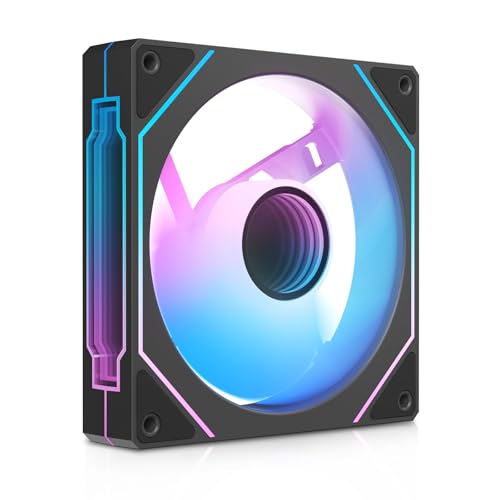
Ocypus Gamma F12 120mm ARGB Fan
Best for: single-fan infinity mirror ARGB additions
- Lighting
- ARGB (what this guide is about)
- Fan Size
- 120mm
- Connector Type
- 4-Pin PWM
- Lighting Type
- ARGB
- Blade Direction
- Forward
- Dimensions
- 4.72 × 0.98 × 4.72 inches
The Ocypus Gamma F12 120mm ARGB Fan provides chassis cooling using a 9-blade layout and 4-pin PWM control. It features dual-zone lighting with 24 addressable LEDs across a central infinity mirror and side accents. Corner rubber damping pads isolate motor vibration. This single-pack forward-blade unit suits you if you need a standard 120mm intake or exhaust fan that daisy-chains up to three units directly to your motherboard headers.
Pros
- 4-pin PWM speed control
- Dual-zone infinity mirror lighting with 24 ARGB LEDs
- Built-in cable daisy-chaining for up to 3 fans
- Corner rubber damping pads reduce vibration
Cons
- Daisy-chain support is capped at 3 fans maximum
- Sold as a single-fan pack rather than a multi-pack
Good fit if
- You want 4-pin PWM speed regulation with synchronized ARGB illumination.
- You want infinity mirror lighting on both the center hub and the frame edges.
- You plan to link up to three fans on one motherboard header connection.
Skip if
- You need a multi-fan bundle to outfit your entire case at once.
- You require reverse-blade airflow to keep the hub visible on intake mounts.
- You want to daisy-chain four or more fans on a single run.
Verdict: Ocypus Gamma F12 120mm ARGB Fan provides balanced PWM airflow and dual-zone infinity mirror lighting in a standard 120mm profile. Its built-in rubber damping and three-fan daisy-chain limit make it a straightforward choice for modular case cooling.
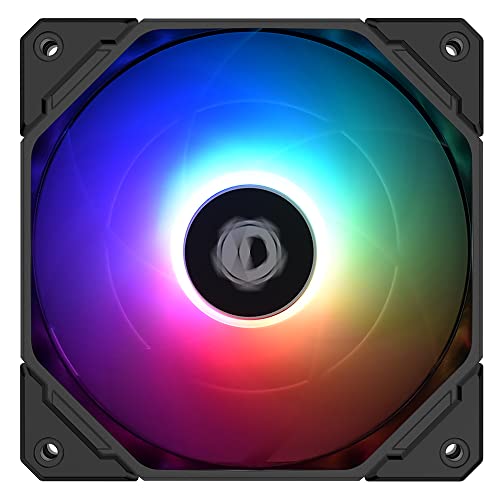
ID-COOLING 120mm Slim ARGB Fan
Best for: compact ITX cases and low-profile coolers
- Lighting
- ARGB (what this guide is about)
- Fan Size
- 120mm
- Max Fan Speed
- 2, 000 rpm
- Max Airflow
- 54.6CFM
- Noise Level
- 13.8~31.2dB(A)
- Connector Type
- PWM
This 120mm cooling fan features a slim 15mm profile designed for tight clearances in compact PC builds. It connects via a PWM connector to deliver speeds between 500 and 2,000 RPM, producing up to 54.6 CFM of airflow. For lighting, it uses a standard 5V 3-pin ARGB connector to sync with your motherboard. It suits you if you need airflow in space-restricted cases or low-profile coolers.
Pros
- Slim 15mm thickness fits space-restricted builds
- Dynamic PWM speed control from 500 to 2,000 RPM
- Standard 5V 3-pin ARGB motherboard synchronization
- Low minimum noise rating of 13.8 dB(A)
Cons
- Reaches 31.2 dB(A) at maximum speed
- Airflow tops out at 54.6 CFM due to the slim frame
Good fit if
- You are building an ITX or HTPC chassis with tight clearance limits.
- You need a 15mm thin fan to clear a low-profile CPU cooler or radiator.
- You have a 5V 3-pin ARGB header on your motherboard.
Skip if
- You have ample space for standard 25mm thick fans with higher airflow.
- Your motherboard lacks a 5V 3-pin addressable RGB header.
Verdict: ID-COOLING 120mm Slim ARGB Fan delivers addressable RGB lighting and PWM speed control in a 15mm profile. It provides a practical cooling solution when standard 25mm fans will not clear your components.

upHere 120mm White Hydraulic Bearing ARGB Fan
Best for: white builds needing remote-controlled ARGB fans
- Lighting
- ARGB (what this guide is about)
- Fan Size
- 120mm
- Max Fan Speed
- 1800RPM
- Connector Type
- 4-Pin PWM
- Bearing Type
- Hydraulic
- Lighting Type
- 5V 3PIN ARGB
View on Amazon: upHere 120mm White Hydraulic Bearing ARGB Fan
This upHere 120mm white case fan features a nine-blade design spinning up to 1800 RPM on a hydraulic bearing rated for 40,000 hours. It connects via a 4-pin interface and supports 5V 3-pin ARGB motherboard synchronization. The package includes a dedicated control hub and a remote to adjust colors, lighting effects, and fan speeds. It suits you if you want white fans with both motherboard header sync and dedicated hardware remote controls.
Pros
- Max rotational speed of 1800 RPM with nine-blade rotor
- Includes dedicated fan hub and wireless remote control
- Standard 5V 3-pin ARGB motherboard synchronization
- Hydraulic bearing with 40,000-hour rated lifespan
Cons
- Incompatible with 12V 4-pin RGB motherboard headers
- Fan speed adjustments require using the included remote
Good fit if
- You need white 120mm fans that match a light-colored case build.
- You want to adjust lighting and fan speeds using a physical remote and hub.
- You have a motherboard equipped with a standard 5V 3-pin ARGB header.
Skip if
- You only have 12V 4-pin RGB headers on your motherboard.
- You want automatic motherboard software fan curves rather than remote control speed changes.
Verdict: upHere 120mm White ARGB Fan with Hub provides 1800 RPM cooling and standard 5V ARGB lighting with standalone remote management. It offers a practical setup for white chassis builds needing hardware-level fan and LED adjustments.
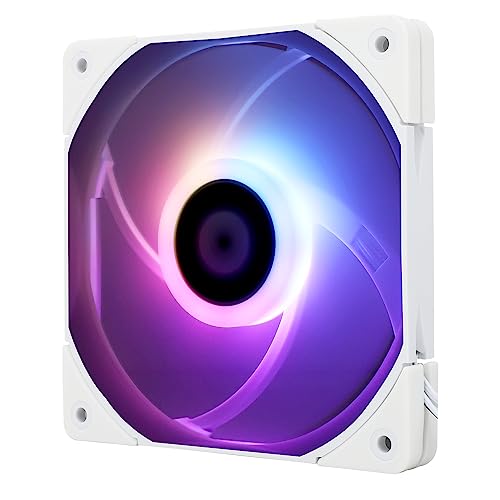
Thermalright 120mm Slim ARGB Fan
Best for: low-clearance CPU coolers and tight cases
- Lighting
- ARGB (what this guide is about)
- Fan Size
- 120mm
- Max Fan Speed
- 1500RPM
- Max Airflow
- 52CFM
- Static Pressure
- 1.24mm H2O
- Noise Level
- ≤24.1dBA
This 120mm slim fan from Thermalright measures 15mm thick, making it suitable if your case or CPU cooler has limited clearance. It delivers up to 52 CFM of airflow and 1.24 mm H2O of static pressure at speeds reaching 1500 RPM. A 4-pin PWM connection provides automatic speed control with noise levels up to 24.1 dBA. It suits you if you need addressable RGB lighting in tight component spaces.
Pros
- Slim 15mm profile fits compact clearances on CPU coolers and radiators
- Maximum noise level rated at or below 24.1 dBA
- Includes 4-pin PWM control with speeds up to 1500 RPM
- Four integrated vibration damping corner pads
Cons
- Lower maximum airflow of 52 CFM compared to thicker standard fans
- Peak static pressure tops out at 1.24 mm H2O
Good fit if
- You need a 15mm slim profile to clear tall RAM or tight CPU cooler mounts.
- You want motherboard-controlled ARGB lighting with PWM speed regulation.
Skip if
- You have space for a standard 25mm fan with higher static pressure.
- You need high-volume airflow exceeding 52 CFM.
Verdict: Thermalright 120mm Slim ARGB Fan provides quiet PWM airflow and addressable lighting for cramped CPU cooler installations. Its 15mm depth solves clearance limits without omitting vibration damping pads.

SilverStone Air Penetrator 180mm ARGB Fan
Best for: cases with 180mm or 200mm fan mounts
- Lighting
- ARGB (what this guide is about)
- Fan Size
- 180mm
- Max Fan Speed
- 1200 RPM
- Connector Type
- PWM
- Bearing Type
- Dual ball bearing
- Lighting Type
- ARGB 4-1 Pin
The SilverStone Air Penetrator 180mm ARGB Fan gives you a large-format cooling option equipped with an integrated air-channeling grille. It features standard 4-1 pin ARGB lighting, a dual ball bearing, and a PWM-controlled range running from 0 to 1200 RPM. Designed to fit both 180mm and 200mm mounts, this fan suits you if your PC case accommodates oversized fans and requires focused, directed intake airflow.
Pros
- Compatible with both 180mm and 200mm fan mounts
- Wide 0 to 1200 RPM speed range with PWM control
- Integrated Air Penetrator grille for focused airflow
- Dual ball bearing for extended operating life
- Standard 4-1 pin connector for ARGB control
Cons
- Does not fit standard 120mm or 140mm mounting locations
- Thicker 1.26-inch frame requires more clearance than standard 25mm fans
Good fit if
- You have a PC chassis equipped with 180mm or 200mm fan mounts.
- You want a fan capable of stopping completely via 0 RPM PWM support.
- You need focused, directional airflow pushed deep into your chassis.
Skip if
- You only have mounting positions for 120mm or 140mm fans.
- You do not have a 4-1 pin ARGB header or compatible controller.
Verdict: SilverStone Air Penetrator 180mm ARGB Fan provides focused airflow for large mounting brackets alongside a flexible 0 to 1200 RPM speed range. It pairs durable dual ball bearings with standard 4-1 pin ARGB lighting control.
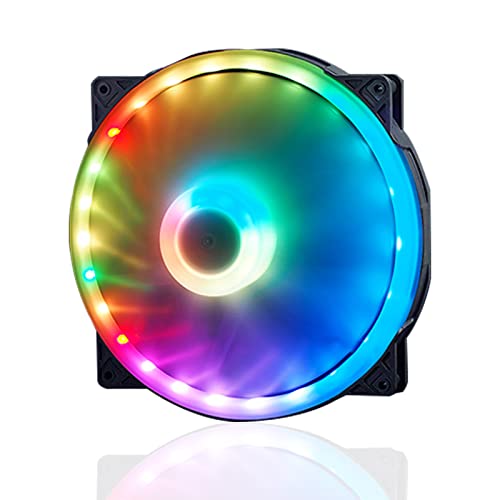
VBESTLIFE 200mm Dual-Ring ARGB Fan
Best for: PC cases with 200mm fan mounts
- Lighting
- ARGB (what this guide is about)
- Fan Size
- 200mm
- Connector Type
- 4-pin PWM
- Bearing Type
- Hydraulic
- Lighting Type
- 5V 3-pin ARGB
- Dimensions
- 7.9 × 1 × 7.9 inches
The VBESTLIFE 200mm fan provides large-frame ventilation with dual-zone lighting. It features 34 addressable RGB LEDs split between 10 inner diodes and 24 outer diodes. A 4-pin PWM header controls motor speed, while a 5V 3-pin connector syncs lighting with compatible motherboards. Its hydraulic bearing uses an oil-sealed cover to reduce friction. This model suits you if your chassis supports 200mm mounts and needs high-coverage illumination.
Pros
- 34 total ARGB LEDs across inner and outer rings
- Standard 4-pin PWM speed control and 5V 3-pin ARGB sync
- Hydraulic bearing with oil-sealed cover
- Nine translucent blades designed for wide light diffusion
Cons
- Airflow CFM rating is not specified
- Operating noise level in decibels is not published
- Large 200mm footprint requires compatible case spacing
Good fit if
- You have a PC case with dedicated 200mm fan mounts.
- You want dual-zone illumination with 34 individual LEDs.
- You prefer standard 4-pin PWM and 5V 3-pin motherboard headers over proprietary hubs.
Skip if
- You require standard 120mm or 140mm mounting points.
- You need verified manufacturer specs for airflow CFM and noise levels.
Verdict: VBESTLIFE 200mm ARGB Hydraulic Bearing Fan delivers dual-ring illumination and standard motherboard connections for chassis built around 200mm mounts. It gives you 34 addressable diodes and PWM control without requiring proprietary lighting adapters.
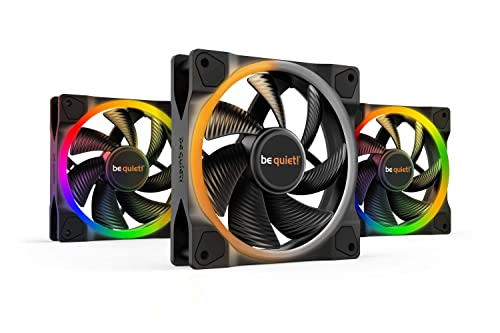
be quiet! Light Wings 120mm PWM ARGB Triple Pack
Best for: multi-fan builds needing dual-sided ARGB lighting
- Lighting
- ARGB (what this guide is about)
- Fan Size
- 120mm
- Connector Type
- PWM
- Lighting Type
- ARGB
- Use
- Gaming
- Dimensions
- 4.72 × 4.72 × 0.98 inches
View on Amazon: be quiet! Light Wings 120mm PWM ARGB Triple Pack
This package gives you three 120mm black fans and an ARGB hub. Each fan features 18 ARGB LEDs illuminating both the front and rear rings. You get PWM connectors for motherboard speed control alongside seven silence-optimized fan blades. The included hub links and synchronizes up to six ARGB components to a single header. It suits you if you want dual-sided lighting and coordinated illumination across multiple case mounts.
Pros
- Includes an ARGB hub supporting up to six components
- Front and rear illumination with 18 ARGB LEDs per fan
- Seven silence-optimized fan blades reduce noise-generating turbulence
- PWM connectivity enables dynamic fan speed control
Cons
- Fixed to 120mm dimensions without 140mm mounting capability
- Comes in a black finish that may not match white chassis builds
Good fit if
- You need both front and rear lighting visible inside your chassis.
- You want an included hub to sync up to six ARGB components.
- You are outfitting three standard 120mm case fan mounts.
Skip if
- You need 140mm or 200mm fans for larger fan brackets.
- You want a white fan kit to match a light-colored case build.
Verdict: be quiet! Light Wings 120mm ARGB Fan Triple Pack delivers dual-sided lighting across three 120mm fans along with a dedicated six-port ARGB hub. Its seven-blade design and PWM control make it a solid choice for illuminating multiple case mounts without cable chaos.

Cooler Master SickleFlow 200mm ARGB Fan
Best for: cases with 200mm mounts wanting ARGB
- Lighting
- ARGB (what this guide is about)
- Fan Size
- 200mm
- Max Fan Speed
- 800 RPM
- Connector Type
- 4-pin PWM
- Lighting Type
- aRGB Gen2
- Dimensions
- 4.72 × 4.72 × 1 inches
The Cooler Master SickleFlow 200 ARGB Fan is a large cooling fan built for computer cases supporting 200mm mounts. It features addressable Gen2 RGB lighting paired with frosted blades to disperse light across the frame. Its 4-pin PWM header allows dynamic speed control ranging from 0 up to 800 RPM. This model suits you if your chassis accepts 200mm fans and requires quiet, low-speed airflow.
Pros
- Large 200mm frame provides wide airflow at lower speeds
- Dynamic 4-pin PWM header supports 0 to 800 RPM operation
- Addressable Gen2 RGB lighting with frosted blades for light dispersion
- Two-tier bearing sealing mechanism prevents dust and oil leakage
Cons
- Top fan speed is limited to 800 RPM
- Requires a PC chassis with dedicated 200mm fan mounts
- No standalone ARGB controller included
Good fit if
- You have a PC chassis with dedicated 200mm fan mounting points.
- You want 4-pin PWM speed control that can ramp down to 0 RPM.
- You use addressable Gen2 RGB lighting headers on your motherboard.
Skip if
- You own a PC case restricted to standard 120mm or 140mm mounts.
- You require high-speed cooling exceeding 800 RPM.
Verdict: Cooler Master SickleFlow 200 ARGB Fan delivers quiet, wide airflow with addressable Gen2 lighting for chassis built for 200mm mounts. Its dynamic 0 to 800 RPM PWM range gives you precise low-noise control.

Thermalright 3-Pin 5V ARGB Fan Hub
Best for: expanding 5V 3-pin ARGB lighting headers
- Lighting
- ARGB (what this guide is about)
- Connector Type
- 3-Pin
- Dimensions
- 3.54 × 1.81 × 0.63 inches
This Thermalright hub synchronizes 5V 3-pin ARGB lighting across your PC case fans using a direct SATA power connection. Measuring 90 by 46 by 16 millimeters, the plastic module mounts inside your chassis with included double-sided tape. It handles signal distribution to multiple lighting devices while drawing power from your power supply. This hub fits your setup if your motherboard lacks enough addressable headers for your lighting cables.
Pros
- Direct SATA power input for stable signal delivery under load
- Supports 5V 3-pin ARGB motherboard lighting synchronization
- Compact footprint measuring 90 x 46 x 16 mm
- Includes double-sided adhesive tape for chassis mounting
Cons
- Requires a separate SATA cable not included in the package
- Does not support 12V 4-pin RGB hardware
- Lacks onboard controls for independent color adjustment
Good fit if
- You need to connect multiple 5V 3-pin ARGB devices to a single motherboard header.
- You want SATA-powered distribution to maintain lighting signal stability under load.
- You need a compact 90 x 46 x 16 mm hub that installs with adhesive tape.
Skip if
- You use 12V 4-pin RGB lighting devices instead of 5V 3-pin ARGB.
- You need built-in color adjustment controls rather than motherboard signal pass-through.
- You do not have a spare SATA power connection from your power supply.
Verdict: Thermalright 3-Pin ARGB Fan Hub routes 5V ARGB lighting signals across multiple ports using direct SATA power. It resolves motherboard header shortages for ARGB fans without adding standalone control functions.
Specifications side by side
| Spec | Kingwin 120mm ARGB Infinity Mirror Fan | Cooler Master MF200R 200mm ARGB Fan | EZDIY-FAB Moonlight 120mm ARGB Fans (6-Pack) | Cooler Master MF120 Halo 120mm ARGB Fan | Cooler Master MF120 Halo Dual-Ring ARGB Fan | Vetroo 120mm Pink ARGB Fans 3-Pack | Ocypus Gamma F12 120mm ARGB Fan | ID-COOLING 120mm Slim ARGB Fan | upHere 120mm White Hydraulic Bearing ARGB Fan | Thermalright 120mm Slim ARGB Fan | SilverStone Air Penetrator 180mm ARGB Fan | VBESTLIFE 200mm Dual-Ring ARGB Fan | be quiet! Light Wings 120mm PWM ARGB Triple Pack | Cooler Master SickleFlow 200mm ARGB Fan | Thermalright 3-Pin 5V ARGB Fan Hub |
|---|---|---|---|---|---|---|---|---|---|---|---|---|---|---|---|
| Fan Size | 120mm | 200 mm | 120 mm | 120mm | 120 mm | 120mm | 120mm | 120mm | 120mm | 120mm | 180mm | 200mm | 120mm | 200mm | not specified |
| Max Fan Speed | not specified | not specified | not specified | 1,800 rpm | not specified | not specified | not specified | 2, 000 rpm | 1800RPM | 1500RPM | 1200 RPM | not specified | not specified | 800 RPM | not specified |
| Max Airflow | not specified | not specified | 26.16 CFM | not specified | 47.2 CFM ± 10% | not specified | not specified | 54.6CFM | not specified | 52CFM | not specified | not specified | not specified | not specified | not specified |
| Static Pressure | not specified | not specified | not specified | not specified | 1.6 mmH2O ± 10% | not specified | not specified | not specified | not specified | 1.24mm H2O | not specified | not specified | not specified | not specified | not specified |
| Noise Level | not specified | not specified | not specified | not specified | 30 dBA | not specified | not specified | 13.8~31.2dB(A) | not specified | ≤24.1dBA | not specified | not specified | not specified | not specified | not specified |
| Connector Type | not specified | not specified | not specified | not specified | not specified | PWM | 4-Pin PWM | PWM | 4-Pin PWM | 4-pin PWM | PWM | 4-pin PWM | PWM | 4-pin PWM | not specified |
| Bearing Type | Hydraulic | not specified | Self-lubricated | not specified | not specified | Hydraulic | not specified | not specified | Hydraulic | not specified | Dual ball bearing | Hydraulic | not specified | not specified | not specified |
| Lighting Type | ARGB | ARGB | ARGB | 5V 3-Pin ARGB | Addressable RGB | 5V 3-Pin ARGB | ARGB | 5V 3PIN ARGB | 5V 3PIN ARGB | ARGB | ARGB 4-1 Pin | 5V 3-pin ARGB | ARGB | aRGB Gen2 | not specified |
| Blade Direction | not specified | not specified | not specified | not specified | not specified | not specified | Forward | not specified | not specified | not specified | not specified | not specified | not specified | not specified | not specified |
| Use | not specified | not specified | not specified | not specified | not specified | not specified | not specified | not specified | not specified | not specified | not specified | not specified | Gaming | not specified | not specified |
| Lighting | ARGB | ARGB | ARGB | ARGB | ARGB | ARGB | ARGB | ARGB | ARGB | ARGB | ARGB | ARGB | ARGB | ARGB | ARGB |
| Compatible Device | not specified | not specified | not specified | not specified | not specified | not specified | not specified | not specified | not specified | CPU Cooler | not specified | not specified | not specified | not specified | not specified |
| Dimensions | 4.72 × 4.72 × 4.72 inches | 7.87 × 7.87 × 0.98 inches | 4.72 × 0.98 × 4.72 inches | 0.98 × 4.72 × 4.72 inches | 4.72 × 4.72 × 0.98 inches | 2.8 × 5.7 × 10.5 inches | 4.72 × 0.98 × 4.72 inches | 4.72 × 4.72 × 0.63 inches | 4.72 × 0.98 × 4.72 inches | 0.59 × 4.72 × 4.72 inches | 7.09 × 7.09 × 1.26 inches | 7.9 × 1 × 7.9 inches | 4.72 × 4.72 × 0.98 inches | 4.72 × 4.72 × 1 inches | 3.54 × 1.81 × 0.63 inches |
| Weight | not specified | 8.96 ounces | not specified | 7.05 ounces | 6.35 ounces | 5.29 ounces | 6.7 ounces | 3.53 ounces | not specified | 3.53 ounces | not specified | not specified | 7.05 ounces | 1.1 pounds | not specified |
| Size | 120 mm (Pack of 1) | not specified | 6 Pack | 120mm MF120 | 120 | 120mm-HDB | Gamma F12 Infinity Mirror - Forward Blade - 1 Pack | not specified | NT1206 SERIES | not specified | not specified | not specified | 3 x 120mm | not specified | not specified |
| Model | KWI-FAN01 | R4-200R-08FA-R1 | US-rgb slim fan with hub X-5P | MFL-B2DN-18NPA-R1 | MFL-B2DN-18NPA-R1 | SA-120 | Gamma F12 Elite BK ARGB | NO-12015-XT-ARGB | NT1206-6-US | TL-C12015W-S | not specified | Vbestlifesn89g40g1u153 | BL076 | MFX-B3DN-08NP2-R1 | FAN-ARGB HUB-Controller REV.A-D6 |
| Color | not specified | ARGB | not specified | MF120 HALO | ARGB | Pink | Black ARGB | black | WHITE | not specified | ARGB | not specified | Black | 200mm | FAN-ARGB HUB |
If you want room airflow instead of PC cooling, you can compare the best lasko fans by blade size, noise output, and CFM specifications.
Key Specs for Choosing ARGB Case Fans
-
Check Motherboard Header Voltage
Check your motherboard headers before buying addressable lighting. Standard ARGB uses a 5V 3-pin connector rather than a 12V 4-pin RGB header. Plugging a 5V connector into a 12V port causes electrical damage. If your board has only one 5V ARGB header and you run multiple fans, you need a distribution component. A dedicated splitter or device like the Thermalright 3-Pin 5V ARGB Fan Hub routes lighting signals from one header across multiple fans using SATA power.
-
Select 4-Pin PWM Speed Control
Look closely at the fan power connector type to manage noise and airflow. A 4-pin connector indicates pulse-width modulation control, which lets your system dynamically change fan speed based on component temperatures. A model like the Cooler Master MF120 Halo 120mm ARGB Fan uses a 4-pin connection to adjust its speed between 650 and 1,800 RPM. If you select fans without PWM capability, they may run at a fixed speed unless adjusted by direct voltage control.
-
Compare Internal Bearing Types
Review the bearing type listed in the specifications to match your operational requirements. Hydraulic bearings use fluid pressure to reduce friction, ensuring smooth operation during everyday desktop use. If you need extreme durability for high-demand setups or continuous operation, consider dual ball bearings. The SilverStone Air Penetrator 180mm ARGB Fan uses dual ball bearings to support its rotation across a 0 to 1200 RPM range. Checking the bearing design helps you select the right mechanical structure for your chassis layout.
-
Verify Daisy-Chain Limits
Examine how fans link together before planning your cable management route. Some ARGB fans feature integrated daisy-chain connectors that allow you to connect adjacent units directly to one another. However, manufacturers often specify maximum daisy-chain limits to protect internal wiring and motherboard headers. For example, the Ocypus Gamma F12 120mm ARGB Fan specifies a three-fan daisy-chain limit. Exceeding recommended chain limits can cause dim lighting or signal drops, so calculate your connection runs before routing cables.
-
Inspect Multi-Angle LED Placement
Pay attention to diode placement if you care about lighting visibility from multiple viewing angles. Standard fans illuminate only through the front blades, which hides the lighting when configured as intake or exhaust against a chassis frame. Fans with dual-sided rings illuminate both the front intake and the rear frame. The be quiet! Light Wings 120mm PWM ARGB Triple Pack incorporates dual-sided illumination rings so your lighting effects remain visible regardless of whether you mount the fans as intake or exhaust.
-
Evaluate Bundled Hardware Hubs
Check whether multi-pack fans include dedicated hardware control if your motherboard lacks native ARGB software management. Some setups include standalone remote controllers that allow you to cycle through lighting modes and fan speeds without software. The upHere 120mm White Hydraulic Bearing ARGB Fan bundle includes a hub with standalone remote management to adjust settings directly. This setup suits builders who want physical hardware controls or who are using older motherboards without 5V addressable lighting headers.
Frequently asked questions
How do daisy-chain limits affect your ARGB fan installation?
Daisy-chain limits restrict how many fans you can connect together on a single header line. The Ocypus Gamma F12 specifies a three-fan daisy-chain limit to protect power delivery and signal integrity. Exceeding published manufacturer chaining limits risks dim illumination or electrical overload. If your build requires more fans than the chain supports, route additional fans to separate motherboard headers or dedicated hub ports.
What is the benefit of a dedicated ARGB hub over direct motherboard connections?
A dedicated ARGB hub routes lighting signals across multiple fans without exhausting motherboard headers. Bundles like the be quiet! Light Wings triple pack provide a six-port hub, while the Thermalright 3-Pin ARGB Fan Hub powers multiple devices via direct SATA power. This configuration supplies stable power directly from your power supply unit, keeping illumination uniform across multi-fan setups without overloading a single motherboard pin array.
How do dual ball bearings compare to hydraulic bearings in ARGB case fans?
Dual ball bearings prioritize mechanical durability and flexible mounting angles over the quiet operation typical of hydraulic bearings. The SilverStone Air Penetrator uses dual ball bearings engineered to handle horizontal or vertical mounting under sustained loads. Fans like the Kingwin 120mm ARGB fan and Vetroo pink 3-pack use hydraulic bearings, which rely on fluid dynamics to reduce friction and lower mechanical operating noise.
What speed range should you expect from PWM-controlled ARGB case fans?
Speed ranges vary significantly by fan diameter and blade design. Standard 120mm models like the Cooler Master MF120 Halo operate between 650 and 1,800 RPM for adaptable cooling. Larger fans spin at lower maximum speeds to move air quietly; the Cooler Master SickleFlow 200mm spans 0 to 800 RPM, while the SilverStone Air Penetrator 180mm reaches up to 1,200 RPM.
Can you install ARGB fans without motherboard software control?
Yes, you can control ARGB fans using dedicated hardware remotes or bundled physical controllers. The upHere 120mm White ARGB fan set includes a hub and a standalone remote that adjusts lighting and speeds without software. This approach suits builds where the motherboard lacks 5V ARGB headers or when you prefer simple manual adjustments over background desktop control applications.
What is the purpose of built-in fan jam protection?
Built-in jam protection cuts electrical current to the motor if an obstruction stops the fan blades. Models such as the Cooler Master MF200R and MF120 Halo include integrated sensor logic to prevent motor burnout when stray cables enter the spinning frame. This safety mechanism reduces fire risk and prevents motor damage, resuming normal operation once you remove the physical obstruction.
What is the difference between single-ring and dual-ring ARGB lighting?
Single-ring fans illuminate either the fan blades or the outer frame, whereas dual-ring models feature lighting on both areas. The VBESTLIFE 200mm fan features dual rings housing 34 addressable diodes, and the Cooler Master MF120 Halo uses 24 LEDs across dual loops. This dual configuration allows more complex lighting patterns and visible accent illumination from both the intake and exhaust sides.