Best Case Fans with 3-Pin: 15 Spec-Based Picks
As an Amazon Associate we earn from qualifying purchases. Links on this page are affiliate links.
Selecting the right case fan with 3-Pin connectivity ensures reliable airflow through your computer chassis. We compared 15 different products based strictly on the technical specifications published on their listings. The GDSTIME 70mm 3-Pin Cooling Fan 2-Pack leads our list because its low-profile 15mm frame thickness directly accommodates tight clearances and compact CPU coolers.
This guide helps you decide which fan dimensions, mounting sizes, and connector configurations best match your enclosure space and motherboard headers.
Quick picks
The best fit for you
- You need slim cooling for tight CPU cooler clearances GDSTIME 70mm 3-Pin Cooling Fan 2-Pack The low-profile 15mm frame fits compact clearances where standard 25mm fans do not fit.
- You want addressable RGB lighting for 140mm mounts Cooler Master MasterFan MF140 Halo Duo-Ring ARGB Fan It fits 140mm mounts and provides 5V 3-pin ARGB lighting control.
- You want near-silent airflow in an 80mm mounting slot Noctua 80mm Ultra-Quiet 3-Pin Fan 2-Pack The 80mm fan operates at an ultra-quiet 10.4 dB(A) acoustic level.
- You need to expand your motherboard 3-pin ARGB connections Thermalright 3-Pin 5V ARGB Fan Hub It centralizes multiple 5V 3-pin ARGB lines into a single SATA-powered hub.
Our 15 picks

GDSTIME 70mm 3-Pin Cooling Fan 2-Pack
Best for: tight clearances and compact CPU coolers
- Connector Type
- 3-Pin (what this guide is about)
- Fan Size
- 70mm
- Max Fan Speed
- 2500 RPM
- Max Airflow
- 18.7 CFM
- Noise Level
- 25.8 dBA
- Bearing Type
- Sleeve Bearing
This two-pack gives you compact 70mm by 15mm cooling fans fitted with standard 3-pin connectors. Running on 12V DC power, each unit delivers 18.7 CFM of airflow at 2500 RPM while producing 25.8 dBA of noise. The slim 0.59-inch depth fits compact computer cases or low-profile CPU heatsinks. It suits you if you need small replacement fans for tight spaces where standard 25mm-thick units will not clear.
Pros
- Slim 15mm depth fits tight clearances
- Airflow rated at 18.7 CFM at 2500 RPM
- Operating voltage spans 5.5V to 13.8V
- Includes two fans per package
Cons
- Sleeve bearing lifespan is limited to 35,000 hours
- Specific 61.5mm mounting hole spacing does not fit standard 80mm brackets
- Maximum airflow tops out at 18.7 CFM
Good fit if
- You need a slim 15mm profile for low-clearance mounts.
- You have mounting brackets spaced 61.5mm apart.
- You require a native 3-pin connector running on 12V DC.
Skip if
- You need fans for standard 120mm or 140mm mounting points.
- You require airflow greater than 18.7 CFM.
- You want longer bearing life than 35,000 hours.
Verdict: GDSTIME 70mm 3-Pin Cooling Fan 2-Pack delivers reliable airflow in a low-profile 15mm frame for specialized setups. It provides an exact fit when compact clearances rule out standard 25mm fans.
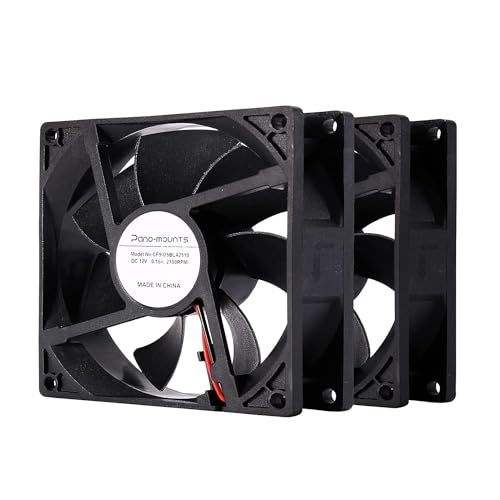
PANO-MOUNTS 92mm 3-Pin Case Fan 2-Pack
Best for: compact cases needing dual 92mm fans
- Connector Type
- 3-Pin (what this guide is about)
- Fan Size
- 92 mm
- Max Fan Speed
- 2000 RPM
- Max Airflow
- 32 CFM
- Noise Level
- 33 dB(A)
- Bearing Type
- Sleeve
This two-pack from PANO-MOUNTS provides 92mm case fans designed for compact computer cases and secondary cooling tasks. Each unit features a 2-wire setup with a standard 3-pin 2510 connector, running at 2000 RPM to deliver 32 CFM of airflow at 33 dB(A). You can adjust operating speeds between 7V and 12V DC. It suits you if you need compact, basic cooling replacements for small chassis mounts without PWM control.
Pros
- Includes two 92mm x 25mm fans
- Adjustable speed via 7V to 12V DC input
- Reverse connection protection prevents electrical burnouts
- Delivers 32 CFM of airflow at 2000 RPM
Cons
- Uses a 2-wire setup without tachometer speed reporting
- Full-speed noise level reaches 33 dB(A)
- Sleeve bearing life expectancy rated under 40,000 hours
Good fit if
- You need a pair of 92mm fans for compact PC chassis mounts.
- You intend to adjust fan speed using 7V to 12V DC voltage regulation.
- You want wiring protection to avoid electrical damage during installation.
Skip if
- You require a 3rd wire for motherboard RPM monitoring.
- You need sub-30 dB(A) noise levels at maximum 12V operation.
Verdict: PANO-MOUNTS 92mm 3-Pin Case Fan 2-Pack offers straightforward airflow for smaller enclosures where 92mm mounts are required. Its 2-wire design provides essential 7V to 12V voltage-regulated cooling without tachometer speed monitoring.
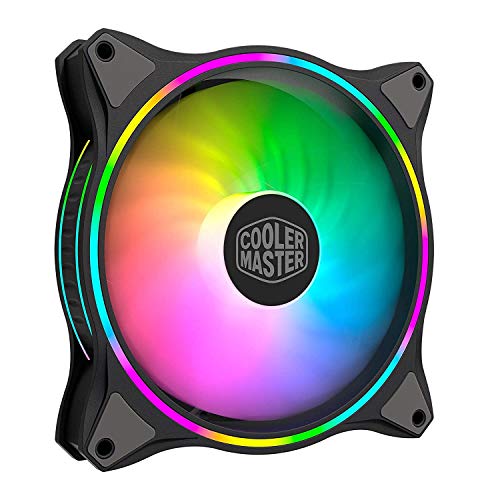
Cooler Master MasterFan MF140 Halo Duo-Ring ARGB Fan
Best for: 140mm mounts requiring addressable RGB cooling
- Connector Type
- 3-Pin (what this guide is about)
- Fan Size
- 140mm
- Max Fan Speed
- 1,800 rpm
- Lighting Type
- 5V 3-Pin ARGB
- Dimensions
- 5.51 × 5.51 × 0.98 inches
- Weight
- 7.05 ounces
View on Amazon: Cooler Master MasterFan MF140 Halo Duo-Ring ARGB Fan
This is a 140mm case fan designed with a 3-pin connector and dual-ring addressable RGB. It operates across an adjustable speed range from 650 RPM to 1,800 RPM using sound-absorbing rubber pads and a hybrid static pressure blade design. If you need a larger 140mm intake or exhaust fan that provides 24 individually controlled ARGB LEDs on a standard +5V 3-pin header, this model fits your setup.
Pros
- Dual-ring lighting with 24 individually addressable RGB LEDs
- Dynamic speed range from 650 RPM to 1,800 RPM
- Sound-absorbing rubber pads to minimize vibration
- Hybrid static pressure blade design
Cons
- Incompatible with standard 12V 4-pin RGB headers
- ARGB controller is not included
- Requires a separate adapter cable for 3-position Gigabyte ARGB headers
Good fit if
- You have available 140mm fan mounting points in your chassis.
- You have a motherboard or hub with a +5V 3-pin ARGB header.
- You want an operating speed range between 650 RPM and 1,800 RPM.
Skip if
- You only have 12V 4-pin non-addressable RGB headers.
- You require a smaller 80mm, 92mm, or 120mm fan size.
Verdict: Cooler Master MF140 Halo 140mm ARGB Fan provides broad 650 to 1,800 RPM speed control and 24-LED duo-ring lighting for 140mm mounts. It serves systems requiring balanced airflow and static pressure with 5V 3-pin connectivity.

Thermalright 3-Pin 5V ARGB Fan Hub
Best for: expanding 5V 3-pin motherboard ARGB headers
- Connector Type
- 3-Pin (what this guide is about)
- Lighting
- ARGB
- Dimensions
- 3.54 × 1.81 × 0.63 inches
This Thermalright hub distributes 5V 3-pin ARGB signals across your system to streamline lighting cable management. Measuring 90 by 46 by 16 millimeters, the unit mounts inside your chassis with included double-sided adhesive tape. It powers lighting accessories via a direct SATA connection while synchronizing lighting patterns through your motherboard. This device suits you if your build includes multiple addressable RGB cooling fans but your motherboard lacks enough 3-pin ARGB headers.
Pros
- Supports 5V 3-pin ARGB lighting synchronization
- Direct SATA power input supports high loads
- Compact footprint at 90 x 46 x 16 mm
- Includes double-sided adhesive tape for mounting
Cons
- Does not support 12V 4-pin RGB devices
- Required separate SATA power cable not included
- No built-in buttons for standalone color adjustments
Good fit if
- You need to connect multiple 5V 3-pin ARGB fan lights to one motherboard header.
- You want direct SATA power distribution to keep lighting output stable under load.
- You have limited chassis clearance and need a slim 16 mm profile.
Skip if
- You use legacy 12V 4-pin non-addressable RGB components.
- You want manual color control buttons without motherboard software.
- You lack an available SATA power lead from your power supply.
Verdict: Thermalright 3-Pin 5V ARGB Fan Hub centralizes multiple addressable RGB lighting connections into one motherboard-controlled line powered by SATA. Its compact frame mounts with adhesive to solve header shortages without managing fan motor speed.

AsiaHorse COSMIQ 120mm RGB Fan 3-Pack
Best for: clean cable management and ARGB builds
- Connector Type
- 3-Pin (what this guide is about)
- Fan Size
- 120mm
- Max Fan Speed
- 2000 RPM
- Max Airflow
- 68.5 CFM
- Static Pressure
- 2.05mmH₂O
- Noise Level
- 29.2 dB(A)
This AsiaHorse three-pack delivers 120mm cooling with interlocking daisy-chain frames, reducing cable clutter in your chassis. You get speed control from 800 to 2000 RPM, delivering up to 68.5 CFM airflow and 2.05 mmH2O static pressure. The fans use a 5V 3-pin connector for addressable RGB lighting, paired with an included hardware controller. It suits you if you want modular lighting and high airflow with minimal wire routing.
Pros
- Interlocking daisy-chain frame reduces internal cable clutter
- Generates up to 68.5 CFM airflow and 2.05 mmH2O pressure
- Fluid dynamic bearing limits maximum noise to 29.2 dB(A)
- Includes dedicated controller with 8 music rhythm modes
Cons
- Reaches 29.2 dB(A) when spinning at peak 2000 RPM
- Requires 120mm fan mounts and 5V 3-pin ARGB header compatibility
Good fit if
- You want interlocking daisy-chain fans to cut down on cable routing
- You need airflow up to 68.5 CFM for demanding thermal loads
- You want an included controller for standalone lighting management
Skip if
- You require smaller mounting sizes such as 80mm or 90mm slots
- You want sub-25 dB(A) operation at top rotational speed
Verdict: AsiaHorse 120mm Daisy-Chain ARGB Fan 3-Pack provides strong 68.5 CFM cooling alongside neat interlocking connections. It gives your build addressable lighting and adjustable speed without creating a mess of loose wires.

Shaking Tank 9-Port ARGB and PWM Fan Hub
Best for: centralizing 5V 3-pin ARGB cable management
- Connector Type
- 3-Pin (what this guide is about)
- Lighting
- ARGB
- Dimensions
- 5.71 × 1.97 × 0.59 inches
- Weight
- 3.81 ounces
This splitter hub consolidates your cooling setup with nine 5V 3-pin ARGB ports and nine 4-pin PWM headers powered by SATA. If you run 3-pin fans, they operate at maximum speed because speed control requires a PWM signal. The magnetic backplane and included adhesive Velcro let you mount it cleanly inside your chassis. It suits you if you need to organize multiple 3-pin ARGB lighting lines through a single motherboard connection.
Pros
- Combines fan power headers and 5V 3-pin ARGB ports on one board
- Magnetic backplane and adhesive Velcro provide flexible mounting
- SATA power connection maintains stable output across connected devices
- Supports synchronization with major motherboard lighting software
Cons
- Does not support speed control for 3-pin fans, running them at full RPM
- Incompatible with 12V 4-pin RGB devices
- Only reads and reports fan speed from the first fan header
Good fit if
- You need to power and sync multiple 5V 3-pin ARGB components from one location.
- You want magnetic mounting inside a steel case for quick cable routing.
- You accept running 3-pin case fans at their maximum rated RPM.
Skip if
- You need motherboard speed regulation for 3-pin DC fans.
- You use legacy 12V 4-pin RGB headers and components.
Verdict: Shaking Tank 9-Port ARGB and PWM Fan Hub organizes complex internal wiring by grouping power and lighting into a single SATA-powered distribution board. It provides dependable illumination management for 5V 3-pin setups as long as you do not require speed regulation on 3-pin fans.
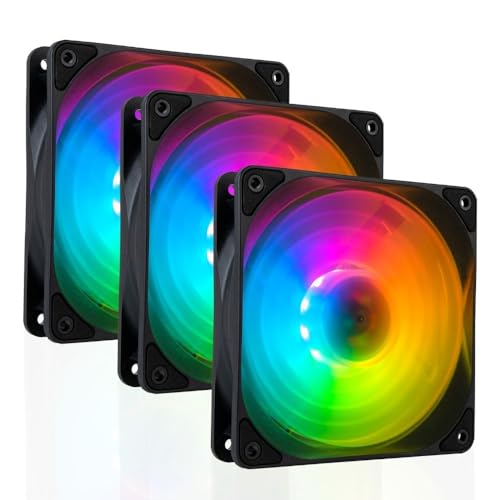
Empowered PC Lotus 120mm ARGB Fans 3-Pack
Best for: radiators needing high static pressure and ARGB
- Connector Type
- 3-Pin (what this guide is about)
- Fan Size
- 120mm
- Max Fan Speed
- 2000RPM
- Max Airflow
- 61.5CFM
- Static Pressure
- 2.98mm H2O
- Noise Level
- 34dBA
This three-pack of 120mm cooling fans provides standard 5V 3-pin ARGB motherboard control alongside 4-pin PWM speed regulation. You get up to 61.5 CFM of airflow, a peak speed of 2,000 RPM, and 2.98 mm H2O static pressure for radiators or cases. Each unit features 10 hub-mounted LEDs and daisy-chain connectors. It suits you if you need synchronized lighting and high static pressure.
Pros
- Delivers up to 61.5 CFM airflow and 2.98 mm H2O static pressure
- Daisy-chain connection links multiple ARGB headers together
- 10 individually addressable RGB LEDs per fan hub
- Integrated anti-vibration pads reduce chassis rattling
Cons
- Reaches up to 34 dBA noise at maximum speed
- 27mm depth is thicker than standard 25mm fans
- Requires a 4-pin PWM header for fan power
Good fit if
- You need high static pressure for heatsinks or liquid radiators.
- You want daisy-chainable 5V 3-pin ARGB connections to minimize cable runs.
- You want PWM fan control with a 600 to 2,000 RPM range.
Skip if
- You need fans limited to under 30 dBA at maximum speed.
- Your case clearance cannot fit a 27mm thick frame.
Verdict: Empowered PC Lotus 120mm ARGB Fans 3-Pack delivers strong 2.98 mm H2O static pressure and simple ARGB daisy-chaining. It provides balanced cooling and lighting if your setup has space for its 27mm thickness.
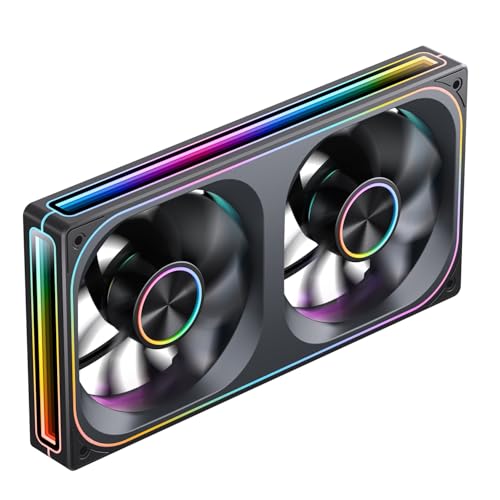
Jonsbo 240mm Reverse ARGB Dual Fan Frame
Best for: 240mm intake mounts needing clean unified cabling
- Connector Type
- 3-Pin (what this guide is about)
- Fan Size
- 120mm
- Max Fan Speed
- 1800 RPM
- Noise Level
- 21.3-37.3 dB(A)
- Lighting Type
- 3-Pin ARGB
- Blade Direction
- Reverse
This is a dual 120mm fan assembly housed in a single 240mm frame with reverse-pitch blades. It combines two fans into one piece that connects using a 4-pin PWM header for speed control and a standard 3-pin 5V ARGB header for lighting. Running between 700 and 1,800 RPM with noise levels from 21.3 to 37.3 dB(A), it suits you if you want streamlined intake mounting without messy individual fan cables.
Pros
- Single-frame design integrates two 120mm fans with unified cabling
- Standard 3-pin 5V ARGB connector plugs directly into the motherboard
- PWM rotational speed range spans from 700 to 1,800 RPM
- Reverse blade orientation functions as an intake while keeping the front face visible
Cons
- Measures 28mm thick, exceeding standard 25mm case fan clearance
- Peak noise level reaches 37.3 dB(A) at maximum speed
- Unified dual-fan unit cannot be separated into individual 120mm fans
Good fit if
- You want an intake setup that exposes the lighting hub rather than rear frame supports.
- You prefer single-cable routing across two adjacent 120mm mounting spots.
- You have clearance in your chassis for a 28mm thick fan block.
Skip if
- You need individual fans to place in different case locations.
- You have strict 25mm depth restrictions for fan installation.
- You want a setup that stays below 30 dB(A) at full operating speed.
Verdict: Jonsbo 240mm Reverse ARGB Dual Fan Frame simplifies intake placement by merging two 120mm fans into a single wired block. It delivers 700 to 1,800 RPM PWM control alongside standard 3-pin motherboard lighting control.
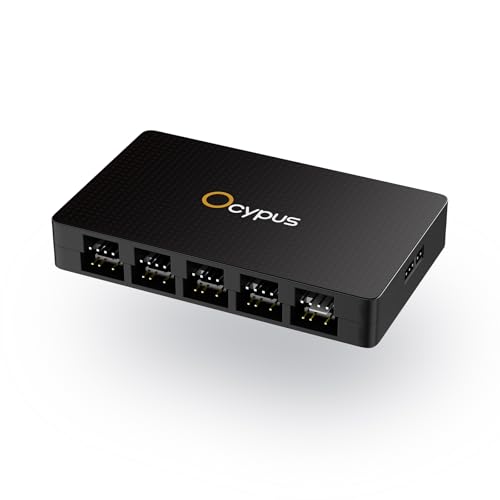
Ocypus 10-Port ARGB and PWM Fan Hub
Best for: expanding 3-pin ARGB and PWM headers
- Connector Type
- 3-Pin (what this guide is about)
- Lighting
- ARGB
- Dimensions
- 3.8 × 2.3 × 0.62 inches
The Ocypus 10-Port ARGB and PWM Fan Hub lets you power and coordinate up to ten 5V 3-pin ARGB lighting connections alongside ten PWM fans. It features SATA power delivery to handle heavy electrical loads, magnetic case mounting for tool-free placement, and built-in short-circuit protection on each lighting channel. This hub fits your build if you run numerous 3-pin ARGB components and need unified motherboard control in a single compact housing.
Pros
- Ten 5V 3-pin ARGB output headers and ten PWM fan headers
- Individual short-circuit and overload protection on each ARGB port
- Built-in magnetic mounting base for simple installation
- Direct SATA power input maintains stable voltage across all ports
Cons
- Does not support 12V 4-pin RGB hardware
- PWM fan speed feedback reads strictly from the white FAN 1 port
- Requires a free SATA power cable from your power supply
Good fit if
- You manage up to ten 5V 3-pin ARGB devices in your PC case.
- You want tool-free magnetic mounting against steel chassis panels.
- You need SATA-fed power with port-level short-circuit protection.
Skip if
- You use legacy 12V 4-pin RGB components instead of 5V 3-pin ARGB.
- You require independent RPM speed monitoring for every individual fan.
Verdict: Ocypus 10-Port ARGB and PWM Fan Hub centralizes lighting and power distribution across ten 5V 3-pin ARGB channels. Dedicated SATA power and individual port protection make it a dependable hub for multi-fan configurations.

Jonsbo 120mm Reverse Blade ARGB Fan
Best for: visible intake mounts needing daisy-chained ARGB
- Connector Type
- 3-Pin (what this guide is about)
- Fan Size
- 120mm
- Max Fan Speed
- 1800 RPM
- Lighting Type
- 3-pin ARGB
- Blade Direction
- Reverse
- Dimensions
- 1.1 × 1.1 × 1.1 inches
The Jonsbo 120mm Reverse Blade ARGB Fan provides intake airflow while showing the front of its fan blades. It features a standard 5V 3-pin ARGB header with male and female connectors alongside a 4-pin power connector. With a 28mm frame thickness, it runs slightly deeper than standard 25mm fans. This setup suits you if you want seamless lighting connections and clean intake visuals inside your chassis.
Pros
- Reverse blade orientation maintains front-facing aesthetics during intake
- Dual 5V 3-pin ARGB male and female connectors for pass-through wiring
- Axis and four-sided infinity mirror lighting elements
- Joint structure allows single-cable motherboard connection
Cons
- 28mm frame thickness exceeds standard 25mm mounting clearance
- Requires both a 4-pin fan header and a 3-pin ARGB header
Good fit if
- You want visible fan blades on intake mounts without exposed frame struts.
- You plan to daisy-chain 5V 3-pin lighting gear together.
- You have space for a 28mm thick fan housing.
Skip if
- You only have clearance for standard 25mm thick fans.
- You do not have a 5V 3-pin ARGB header available.
Verdict: Jonsbo 120mm Reverse Blade ARGB Fan combines reverse intake blades with interlocking daisy-chain wiring and multi-zone infinity lighting. It gives you clean intake aesthetics if your case supports its 28mm frame thickness.

Jungle Leopard Prism4 Pro 120mm ARGB Fans (3-Pack)
Best for: white builds needing infinity mirror ARGB illumination
- Connector Type
- 3-Pin (what this guide is about)
- Fan Size
- 120mm
- Max Fan Speed
- 1800 RPM
- Noise Level
- ≤29 dBA
- Bearing Type
- Hydraulic
- Lighting Type
- 5V 3-Pin ARGB
View on Amazon: Jungle Leopard Prism4 Pro 120mm ARGB Fans (3-Pack)
If you want synchronized lighting across standard mounts, this three-pack gives you 120mm white fans with three-sided infinity mirror ARGB accents. Each unit connects to a 5V 3-pin motherboard header for light synchronization and runs between 1000 and 1650 RPM with rated noise up to 29 dBA. Built with hydraulic bearings and double-sided silicone pads, they fit builders needing multi-fan lighting setups.
Pros
- Three-sided infinity mirror ARGB lighting with center circular mirror
- Operating speed range from 1000 to 1650 RPM
- Hydraulic bearing with integrated magnetic suction
- Double-sided silicone pads to dampen resonance
Cons
- Requires a separate control box if the motherboard lacks a 5V 3-pin header
- Uses a separate small 4-pin interface for fan motor power
Good fit if
- You want a three-pack of white 120mm fans with infinity mirror lighting accents.
- You have an open 5V 3-pin ARGB header on your motherboard.
Skip if
- You lack a 5V 3-pin ARGB motherboard header and do not plan to buy a controller.
- You require operational noise levels below 29 dBA at full speed.
Verdict: Jungle Leopard Prism4 Pro 120mm ARGB Fans (3-Pack) deliver 1000 to 1650 RPM cooling and multi-surface lighting for systems equipped with 5V 3-pin headers.

Iesooy Nollie 8 8-Port 3-Pin ARGB Controller
Best for: SignalRGB and OpenRGB multi-fan lighting setups
- Connector Type
- 3-Pin (what this guide is about)
- Lighting
- ARGB
View on Amazon: Iesooy Nollie 8 8-Port 3-Pin ARGB Controller
The Iesooy Nollie 8 is an eight-port lighting controller built for 5V 3-pin addressable RGB gear. It connects to your motherboard using an internal 9-pin USB cable and draws dual SATA power to handle up to 126 LEDs per channel. This compact unit suits you if you need to coordinate lighting across multiple 3-pin ARGB fans through OpenRGB or SignalRGB software without overloading your motherboard headers.
Pros
- Eight dedicated 5V 3-pin ARGB ports
- Dual SATA power connections to prevent voltage drops across large LED arrays
- Works with SignalRGB and OpenRGB via included internal 9-pin USB cable
- Compact 2.68 by 0.47 by 1.30-inch dimensions for tight case spaces
Cons
- Controls lighting only and does not provide fan motor power or PWM speed control
- Offers eight lighting channels rather than the larger sixteen-port variation
- Requires an open motherboard 9-pin USB header and two SATA power leads
Good fit if
- You run up to eight 5V 3-pin ARGB components and want direct software control via SignalRGB or OpenRGB.
- You need dual SATA power delivery to handle dense LED counts without dimming.
- You need a small lighting hub that mounts inside cramped case compartments using adhesive.
Skip if
- You need a single hub that powers fan motor spinning alongside RGB lighting.
- You run more than eight addressable RGB devices and need the larger 16-channel model.
Verdict: Iesooy Nollie 8 8-Port 3-Pin ARGB Controller provides dedicated dual-SATA power and direct USB software control for multi-fan lighting setups. It solves motherboard 3-pin header shortages if you only need addressable RGB distribution.
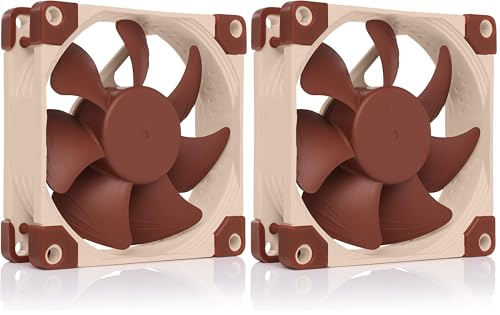
Noctua 80mm Ultra-Quiet 3-Pin Fan 2-Pack
Best for: Silent cooling in compact PC and NAS enclosures
- Connector Type
- 3-Pin (what this guide is about)
- Fan Size
- 80mm
- Max Fan Speed
- 1400 RPM
- Noise Level
- 10.4 dB(A)
- Dimensions
- 0.98 × 3.15 × 3.15 inches
- Weight
- 1.01 pounds
The Noctua 80mm Ultra-Quiet 3-Pin Fan 2-Pack gives you two 80x80x25mm cooling fans built for low-noise operation. Each unit connects via a standard 3-pin header and runs at 1400 RPM, dropping to 1100 RPM with the included Ultra-Low-Noise Adaptors. Generating a maximum acoustic output of 10.4 dB(A), this pack suits compact chassis, HTPCs, and NAS devices where you require steady, silent airflow.
Pros
- Rated acoustic output tops out at 10.4 dB(A)
- Includes Ultra-Low-Noise Adaptors to reduce speed to 1100 RPM
- Rated MTTF exceeds 150,000 hours
- Supplied with anti-vibration mounts, extension cables, and 3:4-pin adapters
Cons
- Compact 80mm frame does not fit standard 120mm or 140mm fan mounts
- 3-pin connector lacks dynamic 4-pin PWM speed regulation
- Specific brown color scheme with no alternate color options
Good fit if
- You need compact 80mm intake or exhaust fans for an ITX case or NAS chassis.
- You prioritize ultra-quiet operation with noise ratings under 11 dB(A).
- You want included accessories like anti-vibration mounts and voltage-reducing adapters.
Skip if
- You need 120mm or 140mm fans for standard chassis locations.
- You require 4-pin PWM control for software-driven fan speed curves.
Verdict: Noctua 80mm Ultra-Quiet 3-Pin Fan 2-Pack delivers ultra-low 10.4 dB(A) acoustic performance and comprehensive mounting hardware for compact builds. It provides reliable, whisper-quiet ventilation for setups limited to 80mm mounting brackets.

Noctua 80mm 3-Pin Case Fan 2-Pack
Best for: quiet cooling in compact 80mm case slots
- Connector Type
- 3-Pin (what this guide is about)
- Fan Size
- 80mm
- Max Fan Speed
- 1800 RPM
- Noise Level
- 17.1 dB(A)
- Dimensions
- 3.15 × 3.15 × 0.98 inches
- Weight
- 9.6 ounces
This two-pack gives you 80mm case fans engineered for compact enclosures, drive cages, or legacy hardware. Each fan runs via a 3-pin connector at up to 1800 RPM, producing a rated 17.1 dB(A) acoustic profile. You can regulate speeds through voltage reduction or separate adapters. They suit you if you need reliable low-noise cooling for small chassis slots without modern 4-pin PWM headers.
Pros
- Low rated acoustic noise output of 17.1 dB(A)
- Maximum rotational speed of 1800 RPM
- MTTF rating exceeding 150,000 hours
- Pack includes two 80x80x25mm fans
Cons
- Uses 3-pin connector without native 4-pin PWM speed regulation
- Anti-vibration mounts and low-noise adapters are optional accessories
- 80mm size is incompatible with standard 120mm or 140mm mounts
Good fit if
- You have a compact case or NAS needing 80mm ventilation.
- You rely on standard 3-pin 12V fan headers.
- You want quiet operation with a 17.1 dB(A) noise rating.
Skip if
- You require 120mm or 140mm fan mounting holes.
- You want automated speed adjustments via 4-pin PWM.
- You want built-in RGB or ARGB illumination.
Verdict: Noctua 80mm 3-Pin Case Fan 2-Pack delivers steady airflow and quiet 17.1 dB(A) operation for tight 80mm mounting spaces. It gives you dependable 3-pin cooling designed for compact chassis or device ventilation.

Jungle Leopard 120mm ARGB Reverse Fan 3-Pack
Best for: Intake airflow with synchronized 5V 3-pin ARGB
- Connector Type
- 3-Pin (what this guide is about)
- Fan Size
- 120mm
- Max Fan Speed
- 1600 RPM
- Max Airflow
- 58.36 CFM
- Noise Level
- 29 dBA
- Bearing Type
- Hydraulic
View on Amazon: Jungle Leopard 120mm ARGB Reverse Fan 3-Pack
This 120mm reverse-blade fan 3-pack features addressable 5V 3-pin RGB lighting alongside a 4-pin power connector. It delivers up to 58.36 CFM airflow with 2.07 static pressure across an 800 to 1,600 RPM range, running on hydraulic bearings with silicone anti-vibration pads. It suits you if you want synchronized intake airflow without hiding decorative lighting, provided your motherboard includes a compatible 5V 3-pin header.
Pros
- Delivers up to 58.36 CFM airflow and 2.07 static pressure
- Reverse blade orientation maintains unobstructed lighting during intake use
- Hydraulic bearing paired with magnetic stabilization
- Double-sided silicone pads reduce resonance against the chassis
Cons
- Uses a 4-pin connector for fan power while 3-pin is reserved for ARGB
- Requires a separate control box if the motherboard lacks a 5V 3-pin header
- Operating sound level reaches up to 29 dBA
Good fit if
- You need intake fans that show front-facing lighting without visible frame brackets.
- You have a motherboard equipped with standard 5V 3-pin ARGB headers.
- You want hydraulic bearing cooling packs with integrated anti-vibration padding.
Skip if
- You require 3-pin DC connection for fan power rather than lighting.
- You lack a 5V 3-pin motherboard header and do not want an external controller.
Verdict: Jungle Leopard 120mm ARGB Reverse Fan 3-Pack provides balanced 58.36 CFM airflow and reverse-blade lighting synchronization via standard 5V 3-pin headers. Verify your setup has the required 4-pin power and 3-pin ARGB connections before installation.
Specifications side by side
| Spec | GDSTIME 70mm 3-Pin Cooling Fan 2-Pack | PANO-MOUNTS 92mm 3-Pin Case Fan 2-Pack | Cooler Master MasterFan MF140 Halo Duo-Ring ARGB Fan | Thermalright 3-Pin 5V ARGB Fan Hub | AsiaHorse COSMIQ 120mm RGB Fan 3-Pack | Shaking Tank 9-Port ARGB and PWM Fan Hub | Empowered PC Lotus 120mm ARGB Fans 3-Pack | Jonsbo 240mm Reverse ARGB Dual Fan Frame | Ocypus 10-Port ARGB and PWM Fan Hub | Jonsbo 120mm Reverse Blade ARGB Fan | Jungle Leopard Prism4 Pro 120mm ARGB Fans (3-Pack) | Iesooy Nollie 8 8-Port 3-Pin ARGB Controller | Noctua 80mm Ultra-Quiet 3-Pin Fan 2-Pack | Noctua 80mm 3-Pin Case Fan 2-Pack | Jungle Leopard 120mm ARGB Reverse Fan 3-Pack |
|---|---|---|---|---|---|---|---|---|---|---|---|---|---|---|---|
| Fan Size | 70mm | 92 mm | 140mm | not specified | 120mm | not specified | 120mm | 120mm | not specified | 120mm | 120mm | not specified | 80mm | 80mm | 120mm |
| Max Fan Speed | 2500 RPM | 2000 RPM | 1,800 rpm | not specified | 2000 RPM | not specified | 2000RPM | 1800 RPM | not specified | 1800 RPM | 1800 RPM | not specified | 1400 RPM | 1800 RPM | 1600 RPM |
| Max Airflow | 18.7 CFM | 32 CFM | not specified | not specified | 68.5 CFM | not specified | 61.5CFM | not specified | not specified | not specified | not specified | not specified | not specified | not specified | 58.36 CFM |
| Static Pressure | not specified | not specified | not specified | not specified | 2.05mmH₂O | not specified | 2.98mm H2O | not specified | not specified | not specified | not specified | not specified | not specified | not specified | not specified |
| Noise Level | 25.8 dBA | 33 dB(A) | not specified | not specified | 29.2 dB(A) | not specified | 34dBA | 21.3-37.3 dB(A) | not specified | not specified | ≤29 dBA | not specified | 10.4 dB(A) | 17.1 dB(A) | 29 dBA |
| Connector Type | 3-pin | 3-pin | not specified | not specified | PWM | not specified | 4-pin PWM | 4-Pin PWM | not specified | 4-pin PWM | 4-Pin PWM | not specified | 3-pin Molex | 3-pin Molex | 4-pin |
| Bearing Type | Sleeve Bearing | Sleeve | not specified | not specified | FDB | not specified | not specified | not specified | not specified | not specified | Hydraulic | not specified | not specified | not specified | Hydraulic |
| Lighting Type | not specified | not specified | 5V 3-Pin ARGB | not specified | 5V 3-pin ARGB | not specified | 5V 3pin ARGB | 3-Pin ARGB | not specified | 3-pin ARGB | 5V 3-Pin ARGB | not specified | not specified | not specified | 5V 3-pin ARGB |
| Blade Direction | not specified | not specified | not specified | not specified | not specified | not specified | not specified | Reverse | not specified | Reverse | not specified | not specified | not specified | not specified | Reverse |
| Lighting | not specified | not specified | ARGB | ARGB | RGB | ARGB | ARGB | ARGB | ARGB | ARGB | ARGB | ARGB | not specified | not specified | ARGB |
| Compatible Device | CPU Cooler | not specified | not specified | not specified | not specified | not specified | CPU Cooler | not specified | not specified | not specified | not specified | not specified | not specified | not specified | not specified |
| Dimensions | 2.76 × 2.76 × 0.59 inches | 3.54 × 3.54 × 0.98 inches | 5.51 × 5.51 × 0.98 inches | 3.54 × 1.81 × 0.63 inches | 4.72 × 0.98 × 4.72 inches | 5.71 × 1.97 × 0.59 inches | 4.72 × 1.06 × 4.72 inches | 6.14 × 1.65 × 11.8 inches | 3.8 × 2.3 × 0.62 inches | 1.1 × 1.1 × 1.1 inches | 4.72 × 4.72 × 0.98 inches | not specified | 0.98 × 3.15 × 3.15 inches | 3.15 × 3.15 × 0.98 inches | 4.72 × 0.98 × 4.72 inches |
| Weight | 1.29 ounces | 7.04 ounces | 7.05 ounces | not specified | not specified | 3.81 ounces | 2 pounds | not specified | not specified | not specified | 4.94 ounces | not specified | 1.01 pounds | 9.6 ounces | 15.9 ounces |
| Size | 70x15mm | 90x25mm | 140mm MF140 Black | not specified | White-3-Packs | not specified | 3pk | 240mm(Reverse) | not specified | 120mm(Reverse) | 4Pro_Forward_3Pack | Nollie 8 | 80x80x25mm (Pack of 2) | 80x80x25mm (Pack of 2) | Galaxy SE_Reverse_3Pack |
| Model | GDT7015S12V3P | CF9025BLA2510 | MFL-B4DN-15NPA-R1 | FAN-ARGB HUB-Controller REV.A-D6 | not specified | / | AC-FAN-0151-CUK-001 | ZA 240BR | Delta EH10 BK | ZB120 WR | prism 4 PRO 3IN1 | PC099 | FBA_NF-A8 ULN | NF-R8 redux-1800 | Galaxy SE |
| Color | not specified | 90x90x25mm | Black | FAN-ARGB HUB | not specified | not specified | not specified | Black | Delta EH10 BK | White | White | Black | Brown | Grey | White |
Choosing the Best 3-Pin Case Fans
-
Measure Mounting Frame Thickness
Standard PC fans feature a 25mm frame thickness, but custom setups frequently deviate from this dimension. Measure the clearance between your mounting brackets and adjacent components like RAM modules, motherboards, or GPU brackets before buying. Thicker frames provide deeper blade pitch but can collide with nearby parts in tight builds. For instance, the Jonsbo 120mm Reverse Blade ARGB Fan uses a 28mm frame thickness that requires extra space compared to standard fans. Always verify physical clearance along the full perimeter of your case mounting locations.
-
Verify Chassis Mounting Dimensions
Case fan slots range from compact sizes up to standard large intakes. You must consult your chassis manual to confirm the exact millimeter spacing of your screw holes. Installing the wrong size will prevent proper bracket alignment. While many modern enclosures utilize 120mm positions, larger cases offer dedicated mounts for higher airflow units. If your case explicitly supports oversized mounting locations, a model like the Cooler Master MasterFan MF140 Halo Duo-Ring ARGB Fan fits 140mm rails to move air across larger surface areas with lower motor noise.
-
Check Static Pressure Ratings
Fans move air differently depending on blade geometry. When you install fans against dense radiator fins or restrictive dust filters, airflow drops unless the fan generates high static pressure measured in millimeters of water. Unrestricted exhaust vents require high volume airflow ratings measured in cubic feet per minute instead. For radiator-mounted cooling, look for high pressure specifications. The Empowered PC Lotus 120mm ARGB Fans 3-Pack provides 2.98 mm H2O of static pressure, making it well-suited for pushing air through restrictive heatsinks without stalling airflow.
-
Select Powered Hubs for Expansion
Motherboards supply limited current across their onboard headers. Plugging too many fans or lighting strips directly into a single motherboard header can exceed power limits or cause unstable operation. If your build incorporates multiple devices, choose a distribution hub that draws direct electrical power from your power supply. The Ocypus 10-Port ARGB and PWM Fan Hub uses dedicated SATA power connections to run up to ten channels safely. This ensures reliable operation across all connected hardware without straining your motherboard traces.
-
Assess Reverse Blade Intake Needs
Standard case fans pull air past the open front and push it out through the rear frame support struts. When installed as bottom or side intakes, standard fans expose their structural frames and wiring hubs toward the interior window. Reverse-blade fans flip airflow direction so the clean front face points inside your chassis while pulling air inward. The Jungle Leopard 120mm ARGB Reverse Fan 3-Pack supplies 58.36 CFM in this reverse orientation, keeping visible intake locations tidy without reversing the fan physically.
-
Consider Daisy-Chain Frame Linkage
Managing multiple individual cables for each fan quickly clutters chassis channels and restricts airflow behind side panels. Daisy-chaining designs allow adjacent fans to click directly together or share pass-through wiring harness clips, passing power and lighting signals across a single motherboard lead. Products like the AsiaHorse COSMIQ 120mm RGB Fan 3-Pack feature interlocking connections that link fan housings together. This configuration eliminates loose cables between adjacent slots, simplifies route planning behind the motherboard tray, and shortens total system assembly time.
Frequently asked questions
Can you plug a 3-pin case fan into a 4-pin motherboard header?
Yes, you can plug a standard 3-pin fan connector directly into a 4-pin motherboard header. Motherboard 4-pin headers feature an off-center plastic guide key that aligns properly with 3-pin plugs. When connected this way, the fan runs using direct DC voltage regulation rather than PWM signaling. If your motherboard supports voltage control on that header, you can still adjust the operating speed through your BIOS.
How do 2-wire and 3-wire 3-pin fans differ in speed monitoring?
A 3-wire fan reports rotational speed to your motherboard, while a 2-wire fan lacks a tachometer signal line entirely. Both types rely on direct 7V to 12V voltage changes to alter motor speed. For instance, the PANO-MOUNTS 92mm fan uses a 2-wire setup that cools effectively across 7V to 12V, but your system BIOS cannot display its current RPM. Standard 3-wire designs include that third wire specifically for speed readout.
Can a 3-pin ARGB hub control fan motor speeds?
No, a dedicated 3-pin ARGB hub distributes lighting data and power, not fan motor speed. Units such as the Thermalright 3-Pin 5V ARGB Fan Hub connect to SATA power and expand addressable lighting connections across multiple devices. They do not interface with fan tachometers or voltage regulators. To manage rotation speeds alongside illumination, you must connect the fans to separate motherboard fan headers or use hybrid hubs with PWM channels.
What is the difference between standard and reverse-blade case fans?
Reverse-blade fans draw air inward across the front frame, keeping the motor hub and support struts hidden from view. Standard fans push air past their rear support brackets, exposing frame struts when installed as intakes. Options like the Jonsbo 120mm Reverse Blade ARGB Fan and Jungle Leopard Galaxy SE direct airflow toward your internal components while showcasing unobstructed fan blades and lighting. This configuration streamlines aesthetic intake placement on bottom or side panels.
How quiet are 80mm 3-pin fans during normal PC operation?
Dedicated low-noise 80mm 3-pin fans can run virtually silent under standard operating conditions. Acoustic output depends heavily on rotation speed and motor design. For example, the Noctua NF-A8 ULN produces an ultra-quiet 10.4 dB(A) acoustic profile, making it suited for noise-sensitive NAS enclosures. The Noctua NF-R8 redux-1800 operates at a higher 17.1 dB(A) sound level to deliver stronger steady airflow while maintaining quiet operation in tight slots.
Why does static pressure matter when choosing a 120mm case fan?
Static pressure measures how forcefully a fan pushes air through dense physical obstructions like liquid cooling radiators. High airflow alone is insufficient when pushing air through tight fins or restrictive dust filters. For liquid cooling loops, high static pressure fans like the Empowered PC Lotus 120mm, rated at 2.98 mm H2O, maintain steady air circulation through radiator fins. Open ventilation cases require less static pressure and benefit more from high CFM ratings.
How do daisy-chain connectors simplify multi-fan installations?
Daisy-chain connectors link adjacent fans directly together, reducing multiple cable runs to a single motherboard connection. Traditional setups require individual power and lighting leads for each unit, cluttering chassis space. Interlocking models like the AsiaHorse COSMIQ 120mm and unified frames like the Jonsbo 240mm Reverse ARGB Dual Fan Frame share power and signal lines between fan units. This design reduces internal cable clutter and leaves open headers on your motherboard.