15 Best PC Cases with ARGB, Compared
As an Amazon Associate we earn from qualifying purchases. Links on this page are affiliate links.
Selecting the best PC cases with ARGB requires balancing lighting features, internal airflow, and component clearance. The Montech XR Panoramic ATX Mid-Tower Case earns the top ranking in this guide by pairing three pre-installed ARGB PWM fans with clearance for 420 mm graphics cards.
We compared 15 products based strictly on the specifications published on their listings. This guide helps you decide which chassis dimensions, cooling configurations, and motherboard form factors will fit your target build.
Quick picks
The best fit for you
- You want panoramic glass and long graphics card clearance Montech XR Panoramic ATX Mid-Tower Case It fits graphics cards up to 420 mm long and includes three pre-installed ARGB PWM fans.
- You need E-ATX support and 420mm radiator clearance be quiet! Shadow Base 800 DX E-ATX Mid-Tower This chassis accommodates large E-ATX motherboards alongside front or top 420mm cooling radiators.
- You want a compact Micro-ATX chassis with included cooling Montech AIR 100 ARGB Micro-ATX Case It houses Micro-ATX motherboards and comes equipped with four pre-installed ARGB fans.
- You want ARGB lighting control for your existing case Zalman 4-Port ARGB Controller Hub This compact hub controls up to four 5V lighting accessories using 3-pin connections.
Our 15 picks

Montech XR Panoramic ATX Mid-Tower Case
Best for: panoramic ATX builds with long graphics cards
- Lighting
- ARGB (what this guide is about)
- Motherboard Support
- ATX
- Case Type
- Mid Tower
- Side Panel
- Tempered Glass
- Included Fans
- 3x 120mm ARGB PWM
- Radiator Support
- 360mm
The Montech XR Panoramic ATX Case is a mid-tower chassis featuring dual tempered-glass panels and three pre-installed 120 mm ARGB PWM fans. Two of these fans use reverse blades to face inward without showing bracket frames. It supports standard ATX motherboards, up to 420 mm graphics cards, and top-mounted 360 mm radiators. This layout gives you ready-to-run ARGB lighting, clear component visibility, and broad space for large hardware upgrades.
Pros
- Three pre-installed 120 mm ARGB PWM fans with two reverse-blade side intakes
- Generous 420 mm GPU clearance and 175 mm CPU cooler height limit
- Supports a top-mounted 360 mm radiator and up to nine total fans
- Front I/O includes a USB-C port alongside two USB 3.0 ports
Cons
- Includes three fans out of a maximum nine-fan capacity
- Radiator mounting is limited to 360 mm with no 420 mm radiator support
Good fit if
- You want a panoramic tempered-glass mid-tower with pre-installed ARGB PWM fans.
- You plan to install a long graphics card up to 420 mm.
- You need front-panel USB-C connectivity on your case.
Skip if
- You need a chassis that natively accommodates a 420 mm liquid cooling radiator.
- You prefer a case that comes pre-filled with all nine supported fans out of the box.
Verdict: Montech XR Panoramic ATX Case balances panoramic tempered-glass views with three pre-installed ARGB PWM fans and clearance for large 420 mm graphics cards. It delivers a practical, showcase-ready foundation for high-end ATX setups.

Zalman 4-Port ARGB Controller Hub
Best for: Adding ARGB control to existing cases
- Lighting
- ARGB (what this guide is about)
- Connector Type
- 3-Pin
- Dimensions
- 1.77 × 1.14 × 0.55 inches
This is an internal 4-port addressable RGB controller hub measuring 1.77 by 1.14 inches. It lets you connect up to four 5V 3-pin ARGB components using SATA power, with options to cycle modes via a 2-pin case switch or sync directly with your motherboard. A magnetic base secures the unit inside steel chassis. It suits you if you need to add ARGB lighting control to a PC case lacking integrated lighting headers.
Pros
- Four 3-pin ARGB output headers
- Motherboard synchronization support
- Connects to chassis Reset or LED button via 2-pin header
- Magnetic bottom for tool-free case placement
Cons
- Supports a maximum of four ARGB devices
- Provides no fan power or PWM speed control headers
Good fit if
- You need to power and control 5V 3-pin ARGB lights from a SATA connection.
- You want to cycle lighting modes using your chassis reset switch.
- You have an unlit or older case with steel interior surfaces.
Skip if
- You need a complete PC chassis rather than an internal controller hub.
- You need fan speed regulation and power along with lighting control.
Verdict: Zalman 4-Port ARGB Fan Controller Hub gives you a compact way to manage up to four 5V lighting accessories via motherboard sync or case buttons. It solves lighting compatibility issues in cases that lack built-in ARGB controls.

iTek QBO 8 Evo Micro-ATX Cube Case
Best for: Micro-ATX cube builds needing pre-installed ARGB fans
- Lighting
- ARGB (what this guide is about)
- Motherboard Support
- Micro ATX
- Case Type
- Cube
- Fan Size
- 120mm
- Dimensions
- 14.2 × 10.5 × 13.1 inches
- Weight
- 6.61 pounds
The iTek QBO 8 Evo is a compact cube chassis designed for Micro-ATX builds. For illumination and airflow, you get a large 200mm ARGB fan upfront paired with a 120mm ARGB fan. Three transparent windows let you view internal components from multiple angles. It also includes an integrated card reader and USB 3.0 connectivity, making it practical if you want a compact cube with pre-installed lighting.
Pros
- Includes pre-installed 200mm and 120mm ARGB fans
- Three transparent windows for multiple viewing angles
- Built-in memory card reader and USB 3.0 connectivity
- Lightweight cube chassis weighing 6.61 pounds
Cons
- Limited to Micro-ATX motherboards rather than full ATX
- Cube shape requires a wide 10.5-inch desktop footprint
Good fit if
- You want a cube chassis featuring pre-installed 200mm and 120mm ARGB fans.
- You need integrated card reader functionality alongside USB 3.0 ports.
- You plan to build around a Micro-ATX motherboard.
Skip if
- You plan to use a standard full-size ATX motherboard.
- You need a narrow case footprint to fit a tight desk space.
Verdict: iTek QBO 8 Evo Micro ATX Cube Case offers a distinct cube layout equipped with 200mm and 120mm ARGB fans and three view windows. It provides convenient front connectivity with its built-in card reader for compact Micro-ATX setups.

Apevia Genesis Pro Mid Tower with 6 ARGB Fans
Best for: maximum out-of-the-box ARGB fan coverage
- Lighting
- ARGB (what this guide is about)
- Motherboard Support
- ATX, Micro-ATX, Mini-ITX
- Case Type
- Mid Tower
- Side Panel
- Tempered Glass
- Included Fans
- 6x ARGB
- Radiator Support
- 240mm
View on Amazon: Apevia Genesis Pro Mid Tower with 6 ARGB Fans
The Apevia Genesis Pro is a mid-tower PC case built for straightforward ARGB setups. You get six preinstalled ARGB fans featuring dual-ring lighting alongside front and side tempered glass panels. It accommodates ATX, Micro-ATX, and Mini-ITX motherboards, graphics cards up to 350mm, and dual 240mm radiators. The top I/O switch toggles 366 lighting modes directly, making it ideal if you want complete lighting coverage right away.
Pros
- Six preinstalled ARGB fans with glowing inner and outer rings
- Dual tempered glass panels on the front and left side
- Top I/O button cycles through 366 built-in lighting modes
- Accommodates graphics cards up to 350mm in length
Cons
- Radiator support limited to 240mm on top and front
- Uses proprietary fans designed specifically for this case
- Maximum CPU cooler height capped at 160mm
Good fit if
- You want six preinstalled ARGB fans ready out of the box.
- You prefer controlling lighting presets via a dedicated case button.
- You plan to run an ATX, Micro-ATX, or Mini-ITX motherboard.
Skip if
- You need liquid cooling support for 280mm or 360mm radiators.
- You use an air CPU cooler taller than 160mm.
- You want standard non-proprietary fan connections.
Verdict: Apevia Genesis Pro Mid Tower with 6 ARGB Fans provides out-of-the-box illumination and dual tempered glass viewing angles. It delivers ample clearance for standard gaming hardware, though liquid cooling is limited to 240mm radiators.
Bgears b-Voguish Plus Mid-Tower with 550W PSU
Best for: complete ARGB setups needing bundled power
- Lighting
- ARGB (what this guide is about)
- Motherboard Support
- E-ATX, ATX, MicroATX, ITX
- Case Type
- Mid Tower
- Included Fans
- 6x 120mm ARGB
- Dimensions
- 15.9 × 8.07 × 19.4 inches
- Weight
- 18 pounds
View on Amazon: Bgears b-Voguish Plus Mid-Tower with 550W PSU
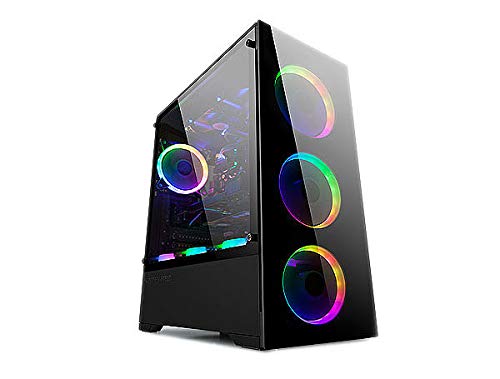
The Bgears b-Voguish Plus is a mid-tower case bundled with six 120mm ARGB fans and an integrated 10-channel fan hub with two LED strip ports. A bundled remote control manages the lighting setup directly. It accommodates motherboard sizes up to E-ATX and includes a built-in 550W b-Vigor power supply. This setup suits you if you need extensive out-of-the-box illumination and pre-routed power without purchasing extra cooling or separate controllers.
Pros
- Includes six 120mm ARGB fans and a lighting remote control
- Hub features 10 fan channels and 2 LED strip connection headers
- Supports large motherboard form factors up to E-ATX
- Comes equipped with an integrated 550W b-Vigor power supply
Cons
- Front panel includes only one USB 3.0 port alongside two USB 2.0 ports
- Lacks a modern USB Type-C front port
Good fit if
- You want six pre-installed ARGB fans and a dedicated control hub out of the box.
- You plan to mount an E-ATX, ATX, MicroATX, or ITX motherboard.
- You want a case that includes an entry-level 550W power supply.
Skip if
- You require front-panel USB Type-C or multiple USB 3.0 ports.
- You plan to run high-draw components requiring more than 550W of power.
Verdict: Bgears b-Voguish Plus Mid Tower with 6 ARGB Fans provides a complete cooling and lighting package with six fans, a multi-channel hub, and an included 550W power unit. It is an all-in-one chassis solution for broad motherboard formats, though front I/O options remain basic.
Montech AIR 100 ARGB Micro-ATX Case
Best for: compact Micro-ATX setups needing included ARGB cooling
- Lighting
- ARGB (what this guide is about)
- Motherboard Support
- Micro-ATX, Mini-ITX
- Case Type
- Micro ATX
- Side Panel
- Tempered Glass
- Included Fans
- 4x 120mm ARGB
- Radiator Support
- 280mm
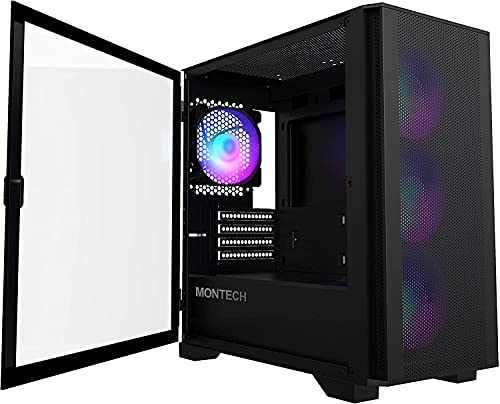
The Montech AIR 100 ARGB is a compact Micro ATX chassis built for smaller desk setups without sacrificing airflow. You get four pre-installed 120mm ARGB fans managed via an included controller or motherboard software. It accommodates graphics cards up to 330mm, CPU coolers up to 161mm, and front radiators up to 280mm. A swivel tempered-glass side door gives you tool-free access to your components.
Pros
- Includes four 120mm ARGB fans and a lighting controller
- Tool-free swivel tempered-glass side panel and quick-release mesh front
- Supports up to 280mm front radiators and 330mm GPUs
- Pre-installed cable routing loops and Velcro straps
Cons
- Limited to Micro-ATX and Mini-ITX motherboards
- Maximum power supply length restricted to 160mm
- Included 120mm ARGB fans use DC control rather than PWM
Good fit if
- You need a compact Micro-ATX or Mini-ITX chassis with four included ARGB fans.
- You want quick internal access through a hinged swivel glass panel.
- You plan to run liquid cooling with up to a 280mm front or 240mm top radiator.
Skip if
- You intend to build with a standard ATX or larger motherboard.
- You use an ATX power supply exceeding 160mm in length.
Verdict: Montech AIR 100 ARGB Micro ATX Case delivers strong out-of-the-box airflow with four pre-installed fans inside a space-saving chassis. It gives you hinged-glass convenience and practical clearance limits for compact builds.

Lian Li Lancool 205 Mesh Mid-Tower Case
Best for: ATX builds needing direct airflow and ARGB
- Lighting
- ARGB (what this guide is about)
- Motherboard Support
- ATX, Micro ATX, Mini-ITX
- Case Type
- Mid-Tower
- Side Panel
- Tempered Glass
- Use
- Gaming
- Dimensions
- 29.2 × 29.2 × 11.6 inches
The Lian Li Lancool 205 Mesh ATX Case is a mid-tower chassis built for ventilation and hardware visibility. It includes three ARGB PWM fans—two 140mm fans in the front and one 120mm fan at the rear. You can control lighting using the dedicated top C/M button or sync it with your motherboard. It fits ATX, Micro ATX, and Mini-ITX boards, making it a practical pick if you want organized wiring and strong ventilation.
Pros
- Pre-installed cooling setup with two 140mm and one 120mm ARGB PWM fans
- Hardware lighting control via top C/M button alongside motherboard sync
- Removable SSD brackets and swappable top fan brackets for installation
- Top and bottom magnetic dust filters with a mesh front panel
Cons
- Top I/O panel lacks a USB Type-C port
- No listed support for E-ATX motherboards
Good fit if
- You want pre-installed 140mm front intake fans with PWM and ARGB control.
- You prefer switching ARGB modes via a physical case button without opening software.
- You plan to build with a standard ATX, Micro ATX, or Mini-ITX motherboard.
Skip if
- You require an integrated front-panel USB Type-C port out of the box.
- You plan to use an oversized E-ATX motherboard.
Verdict: Lian Li Lancool 205 Mesh ATX Case delivers balanced airflow and clean ARGB integration through its three pre-installed PWM fans and dedicated top controls. It is a solid mid-tower platform for standard ATX builds requiring flexible bracket modularity.

MUSETEX ATX Mid-Tower with Magnetic Glass Door
Best for: builders wanting dual USB 3.0 and high airflow
- Lighting
- ARGB (what this guide is about)
- Motherboard Support
- ATX
- Case Type
- Mid-Tower
- Side Panel
- Tempered Glass
- Included Fans
- 6 PWM ARGB Fans
- Radiator Support
- 280
View on Amazon: MUSETEX ATX Mid-Tower with Magnetic Glass Door
This mid-tower ATX chassis includes six pre-installed PWM ARGB fans and a polygonal mesh front panel for system cooling. You get two USB 3.0 ports on the front panel and a tool-free magnetic tempered glass side door for interior access. The frame holds ATX motherboards, up to six storage drives, and top-mounted radiators up to 280mm. It suits you if you need complete fan coverage and fast USB connectivity without buying extra hardware.
Pros
- Six pre-installed PWM ARGB fans
- Dual USB 3.0 front-panel ports
- Magnetic hinged tempered glass side door
- Supports top radiators up to 280mm
- Storage clearance for up to six drives
Cons
- No front-panel USB Type-C port
- Requires a 3-pin 5V ARGB motherboard header
- Top radiator clearance limited to 280mm
Good fit if
- You want six pre-installed PWM ARGB fans out of the box.
- You need dual front USB 3.0 ports for high-speed peripherals.
- You want easy access via a hinged glass side panel.
Skip if
- You require a front-panel USB-C connection.
- You plan to mount a 360mm radiator on top.
- You use a motherboard lacking a 3-pin 5V ARGB header.
Verdict: MUSETEX ATX Mid-Tower with 6 PWM ARGB Fans delivers comprehensive out-of-the-box airflow and dual USB 3.0 connectivity. It provides a practical foundation for ATX setups needing tool-free interior access.

Lian Li Lancool 216 ARGB Mid-Tower
Best for: large graphics cards and high-airflow ARGB setups
- Lighting
- ARGB (what this guide is about)
- Motherboard Support
- E-ATX, ATX, Micro-ATX, Mini-ITX
- Case Type
- Mid-Tower
- Side Panel
- 4.0mm Tempered Glass
- Included Fans
- 2x 160mm ARGB, 1x 140mm
- Radiator Support
- 360mm
The Lian Li Lancool 216 Mid-Tower ARGB Case is an airflow-focused enclosure built with steel and 4.0mm tempered glass. It includes two 160mm ARGB front intake fans alongside a 140mm rear exhaust fan for high-volume cooling out of the box. You get clearance for graphics cards up to 392mm long, 360mm radiators, and E-ATX motherboards. It suits you if you run large hardware and want pre-installed front ARGB fans.
Pros
- Includes two 160mm ARGB front fans and one 140mm rear fan
- Accommodates graphics cards up to 392mm long
- Supports up to 360mm radiators with removable top bracket
- Mounts up to two 3.5-inch drives and six 2.5-inch drives
Cons
- Included 140mm rear exhaust fan lacks ARGB lighting
- Heavy chassis weighing 23.1 pounds empty
- E-ATX motherboard support limited to widths under 280mm
Good fit if
- You want large 160mm ARGB front intake fans included out of the box.
- You need clearance for graphics cards up to 392mm in length.
- You plan to mount up to eight storage drives across 2.5-inch and 3.5-inch bays.
Skip if
- You need ARGB lighting on the rear exhaust fan as well as the front.
- You want a lightweight chassis that is easy to move.
- You plan to install an E-ATX motherboard wider than 280mm.
Verdict: Lian Li Lancool 216 Mid-Tower ARGB Case delivers strong front intake airflow through its dual 160mm ARGB fans and spacious internal layout. It offers generous clearances for 392mm graphics cards and modular cooling configurations without needing extra front fans.

be quiet! Shadow Base 800 DX E-ATX Mid-Tower
Best for: E-ATX builds needing 420mm radiator support
- Lighting
- ARGB (what this guide is about)
- Motherboard Support
- E-ATX
- Case Type
- Mid-Tower
- Included Fans
- 3x 140mm PWM
- Radiator Support
- 420mm
- Use
- Gaming
View on Amazon: be quiet! Shadow Base 800 DX E-ATX Mid-Tower
The be quiet! Shadow Base 800 DX White Mid-Tower gives you spacious internal clearance with built-in ARGB lighting and an integrated controller. It accommodates large E-ATX motherboards and radiators up to 420mm. Three 140mm Pure Wings 3 PWM fans come pre-installed behind an open mesh front panel. It suits you if you plan a high-end build with an oversized board and liquid cooling.
Pros
- Fits E-ATX motherboards and radiators up to 420mm
- Three 140mm Pure Wings 3 PWM fans included
- Integrated ARGB controller for chassis illumination
- Tool-less installation for HDDs and SSDs
Cons
- Included 140mm fans do not feature integrated ARGB lighting
- Chassis is heavy at 26 pounds unloaded
Good fit if
- You build with an E-ATX motherboard or a 420mm radiator.
- You want pre-installed 140mm PWM fans alongside integrated ARGB control.
Skip if
- You want pre-installed cooling fans that include RGB illumination.
- You prefer a lighter enclosure that weighs under 20 pounds.
Verdict: be quiet! Shadow Base 800 DX White Mid-Tower delivers generous clearance for E-ATX hardware and 420mm radiators paired with built-in ARGB control. It provides strong airflow through three 140mm PWM fans for large gaming setups.
be quiet! Shadow Base 800 FX ATX Mid Tower
Best for: large ATX builds needing high fan airflow
- Lighting
- ARGB (what this guide is about)
- Motherboard Support
- ATX
- Case Type
- Midi Tower
- Included Fans
- 4x 140mm PWM
- Use
- Gaming
- Dimensions
- 21.7 × 9.73 × 20.6 inches
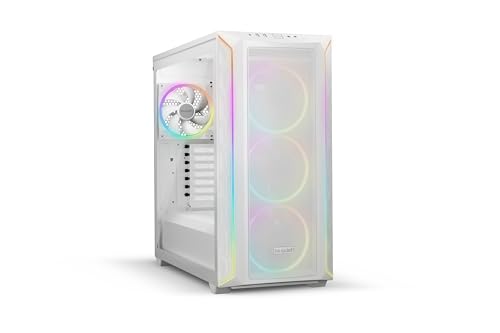
The be quiet! Shadow Base 800 FX is an ATX midi tower chassis built for high-airflow setups. You get four pre-installed 140mm Light Wings PWM fans and an integrated ARGB controller with multiple lighting modes. Its open mesh design prioritizes ventilation, while the interior accommodates large PC components. This case suits you if you want expansive interior clearance paired with ready-to-run addressable lighting.
Pros
- Includes four 140mm Light Wings PWM fans
- Built-in ARGB controller with multiple colors and modes
- Open mesh design for direct component airflow
- Spacious interior fits large hardware
Cons
- Heavy chassis weighing 27.1 pounds
- Large footprint at 21.7 inches in length
- Motherboard support limited to standard ATX
Good fit if
- You want four included 140mm PWM fans with addressable RGB lighting.
- You need an integrated ARGB controller to manage lighting profiles directly.
- You plan to house large components inside an open-mesh ATX enclosure.
Skip if
- You need a lightweight case that weighs less than 27 pounds.
- You have a compact desk area that cannot fit a 21.7-inch long case.
Verdict: be quiet! Shadow Base 800 FX Midi Tower delivers strong airflow and customizable lighting via four bundled 140mm PWM fans and a built-in controller. It is a practical ATX chassis if you need room for large components and do not mind a heavier frame.

MUSETEX Dual Tempered Glass ATX Mid Tower
Best for: panoramic builds needing six included ARGB fans
- Lighting
- ARGB (what this guide is about)
- Motherboard Support
- ATX
- Case Type
- Mid Tower
- Side Panel
- Tempered Glass
- Included Fans
- 6 PWM ARGB
- Max GPU Length
- 420mm
This mid-tower ATX chassis includes six pre-installed PWM ARGB fans and dual tempered glass panels that give you a 270-degree view inside your build. It accepts graphics cards up to 420mm long, CPU coolers up to 178mm tall, and a top-mounted 360mm liquid radiator. Front I/O provides a USB Type-C port and two USB 3.0 ports. It suits you if you want panoramic lighting and broad component clearance.
Pros
- Six pre-installed PWM ARGB fans with motherboard software control
- Fits graphics cards up to 420mm and CPU coolers up to 178mm
- Supports up to a 360mm liquid cooling radiator on the top panel
- Front I/O panel includes a USB Type-C port and two USB 3.0 ports
Cons
- Dual tempered glass panels omit a direct front mesh intake
- Unpopulated chassis weight is 17.6 pounds
Good fit if
- You want six PWM ARGB fans included out of the box.
- You use an extra-long graphics card measuring up to 420mm.
- You need a front-panel USB Type-C port for external peripherals.
Skip if
- You prefer a full front mesh panel for straight-through intake.
- You need a lightweight enclosure that is easy to move regularly.
Verdict: MUSETEX Dual Glass ATX Case with 6 ARGB Fans delivers generous clearance for 420mm GPUs alongside six PWM fans and full dual-glass visibility. It provides ample cooling hardware space and Type-C connectivity for standard ATX configurations.

MUSETEX Mid-Tower ATX Case with 6 ARGB Fans
Best for: 360mm top radiator builds with panoramic glass
- Lighting
- ARGB (what this guide is about)
- Motherboard Support
- ATX
- Case Type
- Mid Tower
- Side Panel
- Tempered Glass
- Included Fans
- 6 PWM ARGB
- Radiator Support
- 360mm
This mid-tower ATX case gives you six pre-installed PWM ARGB fans and top mounting for a 360mm liquid cooling radiator. Dual tempered glass panels display your hardware with a 270-degree viewing angle, while two side fans use reverse blades for intake. With clearance for 400mm graphics cards and 176mm CPU coolers, it fits large components easily. It suits you if you want panoramic glass with full fan coverage out of the box.
Pros
- Six pre-installed PWM ARGB fans with motherboard software control
- Supports up to 360mm liquid cooling radiator on the top mount
- Clearance for GPUs up to 400mm and CPU coolers up to 176mm
- Front I/O panel includes USB 3.2 Type-C and USB 3.0 ports
- Dual tempered glass panels provide a 270-degree viewing angle
Cons
- Liquid cooler support for 360mm sizes is limited to the top mount
- Dual tempered glass construction eliminates direct front-panel mesh ventilation
Good fit if
- You want six pre-installed PWM ARGB fans ready for motherboard synchronization.
- You plan to mount a 360mm liquid cooler at the top of your chassis.
- You run a long graphics card measuring up to 400mm.
Skip if
- You require front-facing mesh panels for direct front-to-back airflow.
- You prefer to mount your 360mm radiator on the front or side panel.
Verdict: MUSETEX Dual Glass ATX Case with 6 ARGB Fans delivers generous clearance for a top 360mm radiator, long graphics cards, and six included lighting fans behind dual glass panels.

Apevia Phenom Micro-ATX Case with 3 ARGB Fans
Best for: compact dual-glass Micro-ATX builds
- Lighting
- ARGB (what this guide is about)
- Motherboard Support
- Micro-ATX
- Side Panel
- Tempered Glass
- Included Fans
- 3x 120mm ARGB
- Radiator Support
- 240mm
- Max GPU Length
- 340mm
View on Amazon: Apevia Phenom Micro-ATX Case with 3 ARGB Fans
The Apevia Phenom is a compact Micro-ATX chassis fitted with two tempered glass panels and three 120mm ARGB fans. It features a top control button cycling through 366 lighting modes alongside a standard 3-pin connector for motherboard synchronization. You also get clearance for graphics cards up to 340mm and front 240mm radiator support. It suits builders seeking dual-glass styling and direct lighting controls for a smaller gaming setup.
Pros
- Three 120mm ARGB fans pre-installed with motherboard sync and 366 manual modes
- Tempered glass front and side panels show internal lighting
- Supports graphics cards up to 340mm in length
- Top and bottom magnetic dust filters included
Cons
- Limited to Micro-ATX and smaller motherboards
- CPU cooler height capped at 155mm
- Front panel lacks a USB Type-C port
Good fit if
- You build with a Micro-ATX board and want built-in lighting control buttons.
- You want dual tempered glass panels paired with pre-installed ARGB fans.
- You run a graphics card under 340mm long.
Skip if
- You plan to use a standard full-size ATX motherboard.
- You require a CPU air cooler taller than 155mm.
- You want a front 360mm liquid cooling radiator.
Verdict: Apevia Phenom Micro-ATX Case with 3 ARGB Fans delivers dual tempered glass viewing angles and versatile lighting control in a compact chassis. It provides solid clearance for mid-sized gaming hardware alongside three included fans.

Montech King 95 Pro Curved ATX Case
Best for: panoramic showcase builds needing complete ARGB cooling
- Lighting
- ARGB (what this guide is about)
- Motherboard Support
- ATX, Micro-ATX, Mini-ITX
- Side Panel
- Tempered Glass
- Included Fans
- 2x 140mm, 4x 120mm ARGB
- Radiator Support
- 360mm
- Max GPU Length
- 420mm
The Montech King 95 Pro is a dual-chamber ATX chassis built around curved tempered glass panels. You get six pre-installed ARGB fans—two 140 mm on the side, three 120 mm on the bottom, and one 120 mm at the rear—wired to an included 10-port controller. With room for 420 mm graphics cards and 360 mm top radiators, it suits you if you want panoramic internal views with complete lighting coverage out of the box.
Pros
- Six pre-installed ARGB fans with an included 10-port controller
- Curved 4 mm tempered glass panels with quick-release tool-free access
- Supports long graphics cards up to 420 mm and CPU coolers up to 175 mm
- Dual-chamber layout accommodates up to eight 2.5-inch SSDs or five 3.5-inch HDDs
Cons
- Wide 11.8-inch footprint takes substantial desk space
- No support listed for E-ATX motherboards
- Heavy bare chassis weight at 26.1 pounds
Good fit if
- You want six pre-installed ARGB fans and an included hub ready to run
- You plan to run long graphics cards up to 420 mm
- You prefer a dual-chamber chassis with curved panoramic tempered glass
Skip if
- You need a chassis that supports E-ATX motherboards
- You have limited desk width and cannot accommodate an 11.8-inch wide case
Verdict: Montech King 95 Pro Curved Dual-Chamber ATX Case delivers expansive curved glass visibility backed by six factory-installed ARGB fans and a 10-port hub. It provides extensive clearance for large components while isolating power supply cabling.
Specifications side by side
| Spec | Montech XR Panoramic ATX Mid-Tower Case | Zalman 4-Port ARGB Controller Hub | iTek QBO 8 Evo Micro-ATX Cube Case | Apevia Genesis Pro Mid Tower with 6 ARGB Fans | Bgears b-Voguish Plus Mid-Tower with 550W PSU | Montech AIR 100 ARGB Micro-ATX Case | Lian Li Lancool 205 Mesh Mid-Tower Case | MUSETEX ATX Mid-Tower with Magnetic Glass Door | Lian Li Lancool 216 ARGB Mid-Tower | be quiet! Shadow Base 800 DX E-ATX Mid-Tower | be quiet! Shadow Base 800 FX ATX Mid Tower | MUSETEX Dual Tempered Glass ATX Mid Tower | MUSETEX Mid-Tower ATX Case with 6 ARGB Fans | Apevia Phenom Micro-ATX Case with 3 ARGB Fans | Montech King 95 Pro Curved ATX Case |
|---|---|---|---|---|---|---|---|---|---|---|---|---|---|---|---|
| Motherboard Support | ATX | not specified | Micro ATX | ATX, Micro-ATX, Mini-ITX | E-ATX, ATX, MicroATX, ITX | Micro-ATX, Mini-ITX | ATX, Micro ATX, Mini-ITX | ATX | E-ATX, ATX, Micro-ATX, Mini-ITX | E-ATX | ATX | ATX | ATX | Micro-ATX | ATX, Micro-ATX, Mini-ITX |
| Case Type | Mid Tower | not specified | Cube | Mid Tower | Mid Tower | Micro ATX | Mid-Tower | Mid-Tower | Mid-Tower | Mid-Tower | Midi Tower | Mid Tower | Mid Tower | not specified | not specified |
| Side Panel | Tempered Glass | not specified | not specified | Tempered Glass | not specified | Tempered Glass | Tempered Glass | Tempered Glass | 4.0mm Tempered Glass | not specified | not specified | Tempered Glass | Tempered Glass | Tempered Glass | Tempered Glass |
| Included Fans | 3x 120mm ARGB PWM | not specified | not specified | 6x ARGB | 6x 120mm ARGB | 4x 120mm ARGB | not specified | 6 PWM ARGB Fans | 2x 160mm ARGB, 1x 140mm | 3x 140mm PWM | 4x 140mm PWM | 6 PWM ARGB | 6 PWM ARGB | 3x 120mm ARGB | 2x 140mm, 4x 120mm ARGB |
| Radiator Support | 360mm | not specified | not specified | 240mm | not specified | 280mm | not specified | 280 | 360mm | 420mm | not specified | not specified | 360mm | 240mm | 360mm |
| Max GPU Length | 420mm | not specified | not specified | 350mm | not specified | 330mm | not specified | not specified | 392mm | not specified | not specified | 420mm | 400mm | 340mm | 420mm |
| Tower Size | Mid-Tower | not specified | not specified | Mid-Tower | Mid-Tower | not specified | Mid-Tower | Mid-Tower | Mid-Tower | Mid-Tower | not specified | Mid-Tower | Mid-Tower | not specified | not specified |
| Fan Size | not specified | not specified | 120mm | not specified | 120mm | not specified | not specified | not specified | not specified | not specified | not specified | not specified | not specified | 120mm | not specified |
| Use | Gaming | not specified | not specified | Gaming | not specified | not specified | Gaming | Gaming | not specified | Gaming | Gaming | Gaming | Gaming | Gaming | not specified |
| Lighting | ARGB | ARGB | ARGB | ARGB | ARGB | ARGB | ARGB | ARGB | ARGB | ARGB | ARGB | ARGB | ARGB | ARGB | ARGB |
| Connectivity | not specified | not specified | not specified | not specified | not specified | not specified | not specified | USB 3.0 | not specified | not specified | not specified | Type-C | Type-C | not specified | not specified |
| Connector Type | not specified | 3-Pin | not specified | not specified | not specified | not specified | not specified | not specified | not specified | not specified | not specified | not specified | not specified | not specified | not specified |
| Compatible Device | not specified | not specified | not specified | not specified | not specified | not specified | not specified | not specified | not specified | Radiator | not specified | not specified | not specified | not specified | not specified |
| Dimensions | 17.1 × 9 × 17.7 inches | 1.77 × 1.14 × 0.55 inches | 14.2 × 10.5 × 13.1 inches | 15.9 × 7.91 × 17.1 inches | 15.9 × 8.07 × 19.4 inches | 15.9 × 8.27 × 16.7 inches | 29.2 × 29.2 × 11.6 inches | 15.8 × 8.07 × 19 inches | 18.9 × 9.26 × 19.4 inches | 21.7 × 9.73 × 20.6 inches | 21.7 × 9.73 × 20.6 inches | 16.6 × 9.06 × 18.1 inches | 11.6 × 16.5 × 14.5 inches | 15.4 × 7.87 × 15.2 inches | 17.4 × 11.8 × 18.7 inches |
| Weight | 14.5 pounds | not specified | 6.61 pounds | 16 pounds | 18 pounds | 13.2 pounds | 15.5 pounds | 12.6 pounds | 23.1 pounds | 26 pounds | 27.1 pounds | 17.6 pounds | not specified | not specified | 26.1 pounds |
| Size | XR | not specified | not specified | GENESIS PRO BLACK | not specified | Air 100 Black | Mid-tower Case | 18.98" x 15.75" x 8.07" | Mid-tower Case | not specified | 550 x 247 x 503 | 16.57"D x 9.06"W x 18.05"H | 16.54"D x 11.61"W x 14.49"H | PHENOM PINK | King 95 Pro |
| Color | Black | Black | Black | Black | Black | Black | LANCOOL 205 MESH RGB - ATX - Black | Black | Black | White | White | Black | White | Pink | King 95 pro White |
| Model | XR-B | ZM-4PALC | ITGCAQBO30E | G-PRO-BK | BG01671 | AIR 100 ARGB | G99OE764X00 | NN8 | LANCOOL 216R-X | BGW62 | BGW64 | K2 | Y6-N5-W | PHENOM-PK | KING 95 PRO (W) |
Is an ARGB Case Worth It?
ARGB lighting lets you control individual illumination effects across your case fans and chassis strips. In practice, choosing an ARGB chassis gives you pre-installed fans connected through 3-pin 5V headers, dedicated control hubs, or top-panel buttons. Many designs include multi-port hubs that synchronize fan speeds and lighting profiles with your motherboard software. You can change patterns directly from your chassis switch or motherboard interface. This setup illuminates your hardware through tempered glass or mesh panels without requiring separate aftermarket light strips.
Worth it if
- You want synchronized lighting across multiple fans using 3-pin 5V motherboard headers or bundled controller hubs.
- You prefer cases with pre-installed lighting fans visible through tempered glass or mesh panels.
- You want hardware-level lighting adjustments using dedicated physical buttons on the case.
Skip it if
- You prefer an unlit build without internal illumination or extra lighting cables.
- You use a motherboard without 3-pin 5V addressable headers and do not want an add-on controller hub.
If you need synchronized lighting across your hardware, specifications for the best CPU coolers with ARGB outline clearance measurements, radiator dimensions, and motherboard header requirements.
How We Picked ARGB Cases
To select these 15 PC cases, we examine published specifications from Amazon listings. A product qualifies when its listing states ARGB lighting support in the title or feature list. You only see one variant per product family. We evaluate published technical details, including motherboard compatibility, fan sizes, and physical dimensions, without physically testing or handling the hardware.
You see products in stock first, then ordered by Amazon sales rank, with better-selling products appearing first. These published specifications let you compare internal clearances, cooling configurations, and exterior measurements directly against your hardware requirements.
How to Choose an ARGB PC Case
-
Compare Intake Fan Diameters
Check the fan diameter specifications on intake mounts before buying your chassis. Standard PC cases typically use 120mm or 140mm fan mounts, but oversized fans move significant air volume across components at lower rotation speeds. Larger intake spinners provide broad airflow coverage for high-heat components without requiring extra fan purchases. If you want strong front intake performance right out of the box, compare intake dimensions carefully. The Lian Li Lancool 216 ARGB Mid-Tower comes equipped with dual 160mm ARGB fans to optimize airflow directly across internal components.
-
Inspect Front Panel Ports
Inspect the top and front panel port specifications before selecting your case. If you regularly transfer files with modern external solid-state drives or smartphones, look for dedicated Type-C ports on the exterior panel. Basic chassis configurations might only offer standard USB Type-A connections, which limit connection options for modern peripherals. Check your motherboard headers to ensure they support the case connectors you choose. For example, the MUSETEX Dual Tempered Glass ATX Mid Tower includes modern Type-C connectivity directly on the chassis for easy external drive access.
-
Evaluate Lighting Control Hubs
Verify how your system handles ARGB signal routing if your chassis lacks integrated lighting controls. If your motherboard lacks 3-pin 5V ARGB headers or your case has no built-in controller, you need a dedicated hub to sync illumination. Standalone hubs allow you to connect multiple lighting components and switch lighting modes via motherboard software or physical buttons. Checking connector types prevents compatibility issues between 3-pin devices and older 4-pin headers. The Zalman 4-Port ARGB Controller Hub manages up to four 5V accessories to solve missing lighting controls in existing setups.
-
Count Pre-Installed Fans
Review the number of pre-installed ARGB fans included with the chassis to save setup time. Cases with only one or two factory fans require you to purchase, mount, and wire extra cooling fans separately. Choosing a model with extensive fan coverage ensures balanced airflow through intake and exhaust locations straight out of the box. Compare the fan count against your cooling goals to avoid extra assembly steps. The Apevia Genesis Pro Mid Tower with 6 ARGB Fans provides six factory-installed fans for complete out-of-the-box system illumination and ventilation.
-
Consider Bundled Power Supplies
Determine whether you prefer a bare chassis or a package that includes internal power hardware. Most enthusiast PC cases ship without a power supply, allowing you to choose your own wattage, efficiency rating, and cabling type. However, bundled packages simplify component sourcing by supplying power and lighting in one purchase. Check that the bundled wattage matches your graphics card and processor power draw specifications. The Bgears b-Voguish Plus Mid-Tower with 550W PSU integrates a 550W power unit alongside six lighting fans to deliver an all-in-one chassis platform.
-
Check Panel Access Style
Check how the tempered glass side panel attaches to the chassis frame before deciding. Traditional glass panels use corner thumbscrews that require complete removal and careful handling whenever you clean dust filters or swap components. In contrast, hinged or magnetic glass doors swing open instantly without tools, reducing the risk of dropping glass panels during maintenance. If you plan regular hardware upgrades or routine internal cleaning, prioritize tool-free door designs. The MUSETEX ATX Mid-Tower with Magnetic Glass Door features a magnetic door for quick, toolless access to your internal components.
Frequently asked questions
Can you add ARGB lighting control to a PC case without built-in headers?
You can add ARGB lighting control using a standalone hub. The Zalman 4-Port ARGB Controller Hub handles up to four 5V accessories using standard 3-pin connectors. This hub lets you manage lighting through motherboard synchronization or physical case buttons. It provides an effective way to update older cases that lack integrated lighting controllers.
Do any ARGB PC cases come with an included power supply?
Yes, select models bundle integrated power supplies directly with the chassis. The Bgears b-Voguish Plus Mid-Tower includes a 550W power unit along with six pre-installed 120mm ARGB fans. It features a built-in multi-channel hub to regulate illumination. This all-in-one setup eliminates the need to purchase a separate entry-level power supply for standard mid-tower gaming systems.
What front panel ports are available on modern ARGB cases?
Front connectivity varies by model, ranging from standard USB ports to card readers. The MUSETEX ATX Mid-Tower provides dual USB 3.0 ports, while the MUSETEX Dual Tempered Glass K2 includes modern Type-C connectivity. If you require memory card access, the iTek QBO 8 Evo Micro-ATX cube chassis integrates a built-in card reader directly on its front panel.
Can you fit multiple large fans in a high-airflow ARGB case?
Yes, many ARGB cases come pre-equipped with multiple large fans for airflow. The be quiet! Shadow Base 800 FX includes four bundled 140mm PWM fans alongside an integrated lighting controller. For more compact builds, the iTek QBO 8 Evo pairs a large 200mm front fan with a 120mm fan inside a dedicated Micro-ATX cube chassis layout.
How many ARGB fans can a single hub manage inside a case?
Hub capacity depends on the manufacturer, but some chassis manage up to ten fans at once. The Montech King 95 Pro includes an integrated 10-port hub alongside six factory-installed ARGB fans. This setup centralizes cable routing within a dual-chamber frame, allowing you to synchronize complex lighting and power distribution across your entire build from one location.
Are compact Micro-ATX cases available with pre-installed ARGB fans?
Yes, several compact Micro-ATX cases include pre-installed ARGB lighting fans. The Apevia Phenom features three 120mm ARGB fans housed inside a compact frame with dual tempered glass viewing panels. Another option is the iTek QBO 8 Evo, which provides a cube layout equipped with pre-installed 200mm and 120mm fans for compact desktop arrangements.
What physical controls do ARGB PC cases offer for lighting effects?
Many ARGB cases feature dedicated buttons on the top or front I/O panels for manual control. The Lian Li Lancool 205 Mesh includes dedicated top controls to change lighting patterns directly on its three pre-installed PWM fans. Standalone accessories like the Zalman 4-Port hub also allow you to cycle lighting profiles via connected case buttons or motherboard software.