15 Best Case Fans for CPU Cooler, Compared
As an Amazon Associate we earn from qualifying purchases. Links on this page are affiliate links.
Finding the right case fan for CPU Cooler hardware keeps processor temperatures stable under heavy workloads. A proper replacement fan restores airflow through heatsink fins without physical fitment issues.
The Kingwin 80mm Black Cooling Fan leads the rankings because its standard 80mm frame and long life bearing provide direct heat dissipation for compact heatsinks. We compared 15 products based on the specifications published on the listings. This guide helps you choose the correct fan size and pin configuration for your cooler.
Quick picks
The best fit for you
- You need a standard 80mm CPU cooler replacement fan Kingwin 80mm Black Cooling Fan The standard 80mm frame provides direct heatsink mounting without extra lighting features.
- You have a compact heatsink requiring slim 70mm cooling GDSTIME 70mm 3-Pin Cooling Fan 2-Pack Its 15mm thickness and 70mm frame fit compact heatsinks where standard sizes cannot clear.
- You need to power multiple fans from one header LRONG 10-Port PWM SATA Fan Hub It consolidates up to 10 PWM fans onto one motherboard connection via SATA power.
- You want 120mm heatsink fans with zero-RPM idle capability ASUS ROG Strix XF120 120mm PWM Fan 2-Pack The 4-pin PWM connector supports 0% shutoff and uses a durable magnetic levitation bearing.
Our 15 picks
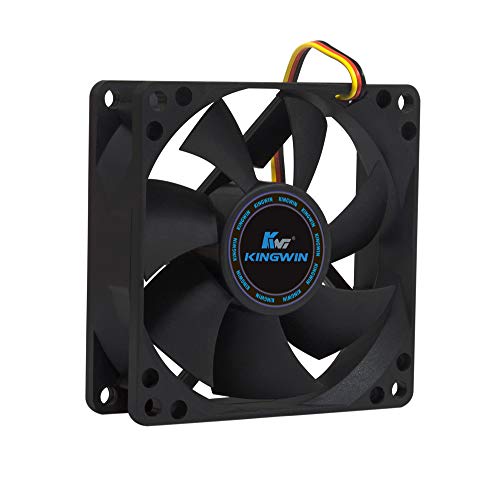
Kingwin 80mm Black Cooling Fan
Best for: standard 80mm CPU cooler replacements
- Compatible Device
- CPU Cooler (what this guide is about)
- Fan Size
- 80mm
- Bearing Type
- Long Life Bearing
- Dimensions
- 0.98 × 3.15 × 3.15 inches
- Weight
- 2.43 ounces
This is a single 80mm black cooling fan designed for CPU coolers and computer cases. It measures 0.98 inches thick and mounts onto standard 80mm brackets. Built with a long-life bearing and optimized blades for airflow, it provides steady heat dissipation. This fan suits you if you need a standard 80mm replacement unit to cool a compact CPU heatsink, mining rig, or desktop chassis without complex lighting or extra wiring.
Pros
- Fits standard 80mm mounts on CPU coolers and cases
- Equipped with a long life bearing
- Standard 0.98-inch (25mm) profile fits standard brackets
- All-black frame and blade construction
Cons
- No integrated RGB or LED lighting
- Comes as a single fan rather than a multi-pack
Good fit if
- You need an 80mm replacement fan for a CPU cooler.
- You want a plain black fan without lighting.
- You require a fan with a long life bearing.
Skip if
- You need a larger 92mm or 120mm cooler fan.
- You want integrated ARGB illumination.
Verdict: Kingwin 80mm Black Cooling Fan provides direct heat dissipation for compact CPU heatsinks using a standard 80mm frame and a long life bearing. It handles essential cooling duties cleanly without unnecessary lighting features.

GDSTIME 70mm 3-Pin Cooling Fan 2-Pack
Best for: compact heatsinks needing slim 70mm cooling
- Compatible Device
- CPU Cooler (what this guide is about)
- Fan Size
- 70mm
- Max Fan Speed
- 2500 RPM
- Max Airflow
- 18.7 CFM
- Noise Level
- 25.8 dBA
- Connector Type
- 3-pin
This package gives you two low-profile 70mm cooling fans designed for compact CPU heatsinks. Each fan measures 15mm thick with 61.5mm mounting hole spacing, making it suitable when clearance is tight. Operating on a 3-pin connector at 12V, it delivers 18.7 CFM airflow at 2500 RPM while producing 25.8 dBA of noise. It suits you if you need to replace a small cooler fan without PWM control.
Pros
- Slim 15mm thickness fits low-clearance CPU heatsinks
- Delivers 18.7 CFM airflow at 2500 RPM
- Rated sound output of 25.8 dBA
- Includes two fans in the package
Cons
- Uses a 3-pin connector without 4-pin PWM speed regulation
- Sleeve bearing lifespan is limited to 35,000 hours at 25°C
- Maximum airflow reaches only 18.7 CFM
Good fit if
- You need a slim 70mm fan with 61.5mm hole spacing for a compact CPU cooler.
- You want a two-pack of fixed-speed 12V 3-pin replacement fans.
Skip if
- You require 4-pin PWM support for automated motherboard speed curves.
- You need higher airflow than 18.7 CFM for heavy processor cooling.
Verdict: GDSTIME 70mm Slim 3-Pin CPU Fan 2-Pack delivers straightforward 3-pin cooling for compact heatsinks requiring 15mm thickness clearance. It provides an exact-fit replacement when standard 80mm or 120mm cooler fans do not mount.

DS leddess 120mm 6-Pack RGB Fans
Best for: Multi-fan builds needing remote-controlled RGB lighting
- Compatible Device
- Radiator, CPU Cooler (what this guide is about)
- Fan Size
- 120mm
- Connector Type
- 6-pin
- Lighting Type
- RGB
- Dimensions
- 4.72 × 4.72 × 0.98 inches
This package provides six 120mm RGB fans designed for CPU coolers, radiators, and cases. Each fan features eight shock-absorbing silicone pads to reduce vibration against hardware mountings. The system uses an RF wireless remote to adjust lighting patterns and color speed across all units. It suits setups requiring complete multi-fan coverage, though the fans rely on proprietary 6-pin connectors and require compatible fan kit controllers rather than standard motherboard headers.
Pros
- Six 120mm fans included in one package
- RF wireless remote control for adjusting patterns and color speeds
- Eight shock-absorbing silicone vibration pads on each frame
- Compatible with CPU coolers, radiators, and PC cases
Cons
- Requires a 6-pin connector and cannot be used independently
- Only compatible with specific 6-fan or 3-fan plus LED strip kits
Good fit if
- You need six matched 120mm fans for CPU coolers, radiators, or case mounts.
- You want an RF wireless remote to configure RGB colors and speeds.
- You have a compatible 6-pin fan kit setup to power them.
Skip if
- You need standalone fans that connect directly to standard motherboard headers.
- You only need a single fan for your CPU cooler.
Verdict: DS leddess 120mm RGB Fans 6-Pack supplies multi-fan cooling with remote-controlled RGB lighting for compatible 6-pin setups. Its silicone anti-vibration padding ensures secure, quiet mounting across CPU coolers and radiators.

DORHEA 80mm 2-Pin DC Fans (2-Pack)
Best for: high-airflow 2-pin 80mm cooler replacements
- Compatible Device
- Radiator, CPU Cooler (what this guide is about)
- Fan Size
- 80mm
- Max Fan Speed
- 4500RPM
- Max Airflow
- 41CFM
- Noise Level
- 37.9dBA
- Connector Type
- 2pin-ph2.5
This DORHEA two-pack provides 80mm x 80mm x 25mm cooling fans running at 4500 RPM. Each unit pushes 41 CFM of airflow at a 37.9 dBA noise rating using a 12V two-wire PH2.5 connector. If you need replacement cooling for a compact CPU cooler or radiator requiring direct airflow without PWM speed control, these fans provide dependable fixed-rate operation.
Pros
- High rotational speed rated at 4500 RPM
- Generates 41 CFM of airflow
- Lifespan rated up to 50,000 hours at 25 degrees Celsius
- Includes two 80mm x 25mm fans
Cons
- Uses a 2-pin PH2.5 connection without PWM speed control
- Higher noise level rated at 37.9 dBA
- Lacks integrated LED lighting
Good fit if
- You need a direct replacement fan using a 2-pin PH2.5 connector.
- You prioritize maximum 4500 RPM airflow on an 80mm heatsink.
Skip if
- You require a standard 4-pin PWM connection for motherboard fan curves.
- You want silent operation below 37.9 dBA.
Verdict: DORHEA 80mm 2-Pin Cooling Fan 2-Pack delivers high-speed 4500 RPM airflow for hardware requiring a dedicated 12V two-pin connection. Its 41 CFM output suits compact CPU coolers where static airflow rate takes priority over quiet operation.

Thermalright 92mm Slim PWM Fan
Best for: low-profile CPU coolers needing slim 92mm fans
- Compatible Device
- CPU Cooler (what this guide is about)
- Fan Size
- 92mm
- Max Fan Speed
- 2700RPM
- Max Airflow
- 42.58CFM
- Static Pressure
- 1.33mm H2O
- Noise Level
- ≤22.4dBA
The Thermalright 92mm Slim CPU Cooler Fan is a low-profile cooling fan designed for compact CPU heatsinks. At just 15mm thick, it fits tight spaces where standard 25mm fans will not clear surrounding components. It delivers up to 42.58 CFM of airflow and 1.33 mm H2O static pressure at speeds up to 2700 RPM via a 4-pin PWM header. This suits you if you need a slim cooling fan for downward heatsinks.
Pros
- Slim 15mm profile fits low-clearance downward CPU coolers
- Automatic speed control up to 2700 RPM via 4-pin PWM
- Delivers up to 42.58 CFM airflow and 1.33 mm H2O static pressure
- Four vibration damping pads minimize operating noise
Cons
- 92mm frame size will not fit standard 120mm cooler mounts
- No integrated RGB or LED lighting
Good fit if
- You need a slim 15mm fan to fit tight CPU cooler clearances.
- You require 4-pin PWM speed control reaching up to 2700 RPM.
- You use a heatsink designed specifically for 92mm mounts.
Skip if
- You need a standard 120mm fan for your CPU cooler.
- You want built-in RGB or ARGB lighting effects.
Verdict: Thermalright 92mm Slim CPU Cooler Fan is an effective, space-saving cooling option for compact downward heatsinks. Its 15mm profile and 4-pin PWM control deliver solid airflow without crowding your build.

LRONG 10-Port PWM SATA Fan Hub
Best for: expanding fan headers for multi-fan cooling setups
- Compatible Device
- CPU Cooler (what this guide is about)
- Weight
- 2.08 ounces
The LRONG 10-Port PWM SATA Fan Hub expands a single motherboard CPU fan header into 10 fan ports. It powers up to 10 three-pin or four-pin fans via a dedicated SATA power connection. A dedicated red port syncs speed feedback directly to your CPU cooler channel, managed by an included 40-centimeter PWM cable. This hub suits you if you need to run multiple case and CPU fans from limited motherboard headers.
Pros
- Supports up to 10 fans across 3-pin and 4-pin connectors
- Includes a 40cm PWM cable for motherboard speed control
- Dedicated red port routes CPU fan RPM feedback
- SATA power delivery handles 12V multi-fan setups
Cons
- Mounts with adhesive tape instead of screws or magnets
- No built-in ARGB or RGB lighting headers
- Does not include cooling fans in the package
Good fit if
- You lack enough motherboard headers for your CPU cooler and case fans.
- You want central PWM speed control for up to 10 fans.
- You have an available SATA power cable from your power supply.
Skip if
- You need actual replacement fan blades rather than a distribution hub.
- You want magnetic mounting rather than 3M adhesive.
- You require integrated RGB or ARGB lighting control.
Verdict: LRONG 10-Port PWM SATA Fan Hub consolidates up to 10 fans onto one motherboard PWM header using SATA power. It is a practical utility for multi-fan cooling loops when motherboard ports run out.
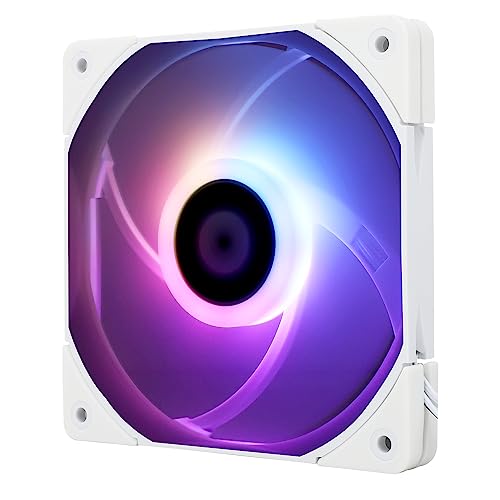
Thermalright 120mm Slim ARGB Fan
Best for: compact CPU coolers requiring slim clearance
- Compatible Device
- CPU Cooler (what this guide is about)
- Fan Size
- 120mm
- Max Fan Speed
- 1500RPM
- Max Airflow
- 52CFM
- Static Pressure
- 1.24mm H2O
- Noise Level
- ≤24.1dBA
This 120mm cooling fan features a slim 15mm profile designed for tight clearances around your CPU cooler. It operates up to 1500 RPM via a 4-pin PWM connector, delivering up to 52 CFM of airflow and 1.24 mm H2O static pressure. Integrated ARGB lighting syncs directly with compatible motherboards. If you need low-profile cooling with customizable illumination for a compact heatsink or chassis, this unit fits your build requirements.
Pros
- Slim 15mm thickness for compact clearance
- 4-pin PWM control with speeds up to 1500 RPM
- Generates up to 52 CFM airflow and 1.24 mm H2O pressure
- Addressable RGB lighting with motherboard synchronization
Cons
- Lower static pressure than thicker 25mm fans
- Requires a compatible motherboard header for ARGB lighting control
Good fit if
- You need a slim 15mm fan to clear RAM or heatsink brackets.
- You want 4-pin PWM automatic speed regulation up to 1500 RPM.
- You plan to synchronize ARGB lighting effects through your motherboard.
Skip if
- You have space for thicker 25mm fans with higher static pressure.
- You lack an addressable RGB header on your motherboard.
Verdict: Thermalright 120mm Slim ARGB Fan delivers capable airflow in a space-saving 15mm design. It provides PWM speed management and synchronized lighting for clearance-constrained CPU coolers.
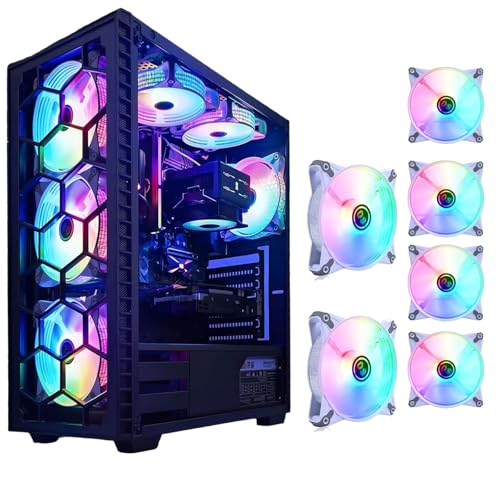
DS leddess 120mm Static RGB Case Fans (6-Pack)
Best for: multi-fan cooling setups using Molex connections
- Compatible Device
- Radiator, CPU Cooler (what this guide is about)
- Fan Size
- 120mm
- Connector Type
- Molex
- Lighting Type
- Static RGB LED
- Dimensions
- 4.72 × 0.98 × 4.72 inches
View on Amazon: DS leddess 120mm Static RGB Case Fans (6-Pack)
This package gives you six 120mm fans from DS leddess designed for CPU coolers, radiators, and desktop enclosures. Each white fan measures 0.98 inches thick and carries eight static RGB LEDs for constant case illumination. Because these units draw power through standard Molex connectors directly from your power supply, they run at a fixed speed. They suit your build if you want multiple illuminated fans without occupying motherboard fan headers.
Pros
- Six-pack bundle provides multiple 120mm fans
- Equipped with 8 static RGB LEDs per fan
- Compatible with CPU coolers, radiators, and chassis mounts
- Standard 0.98-inch (25mm) profile fits standard brackets
Cons
- Powered by Molex connectors instead of motherboard fan headers
- Static RGB lighting cannot be adjusted or customized
Good fit if
- You want a six-pack of 120mm fans for your CPU cooler or PC case.
- You prefer powering cooling fans directly via Molex connections.
- You need integrated static RGB illumination without separate controller boxes.
Skip if
- You need PWM 4-pin headers for motherboard-managed speed curves.
- You want addressable lighting that syncs with RGB software.
Verdict: DS leddess 120mm Static RGB Fan 6-Pack delivers multi-fan cooling for CPU coolers and cases via direct Molex power. It provides constant illumination with eight LEDs per unit without needing motherboard fan headers.

Thermalright 80mm PWM Case Fan
Best for: compact CPU coolers needing high static pressure
- Compatible Device
- CPU Cooler (what this guide is about)
- Fan Size
- 80mm
- Max Fan Speed
- 2200RPM
- Max Airflow
- 34CFM
- Static Pressure
- 2.7mm H2O
- Noise Level
- ≤24dBA
This Thermalright 80mm PWM fan delivers focused airflow for compact CPU coolers and small chassis mounts. You get a top speed of 2200 RPM, delivering 34 CFM of airflow alongside 2.7 mm H2O static pressure to push air through heatsink fins. The S-FDB V2 bearing and integrated corner pads keep noise at or below 24 dBA. It suits you if you need a high-pressure 80mm fan for a compact heatsink.
Pros
- Static pressure reaches 2.7 mm H2O for heatsink fin penetration
- Max rotational speed of 2200 RPM with 4-pin PWM motherboard control
- Equipped with S-FDB V2 bearings and four vibration damping pads
- Maximum rated operational noise level of 24 dBA
Cons
- Standard 25mm thickness does not fit ultra-slim low-clearance mounts
- No integrated LED or ARGB lighting
Good fit if
- You need high static pressure for an 80mm CPU cooler heatsink.
- You want automatic speed adjustment via a 4-pin PWM header.
- You require corner vibration pads to suppress mechanical resonance.
Skip if
- You need a slim 15mm profile fan for tight vertical clearance.
- You want decorative RGB lighting on your CPU cooler.
Verdict: Thermalright 80mm PWM Cooling Fan provides robust 2.7 mm H2O static pressure and PWM speed control for compact heatsinks. It balances 34 CFM airflow and low-noise operation without adding decorative illumination.

Thermalright 80mm Slim PWM Fan
Best for: compact CPU coolers needing slim 15mm clearance
- Compatible Device
- CPU Cooler (what this guide is about)
- Fan Size
- 80mm
- Max Fan Speed
- 2200 RPM
- Max Airflow
- 28.4 CFM
- Static Pressure
- 1.25 mmH2O
- Noise Level
- ≤23.3 dBA
This is an 80mm slim fan designed for compact CPU coolers and small enclosures. It measures 15mm thick, fitting spaces where standard 25mm fans collide with components. The 4-pin PWM header controls speeds up to 2200 RPM, delivering 28.4 CFM airflow and 1.25mm H2O static pressure. Running at 23.3 dBA or lower, it suits you if you need active heatsink airflow inside tight low-profile builds.
Pros
- Slim 15mm profile fits low-clearance heatsinks
- 4-pin PWM connection adjusts speed up to 2200 RPM
- S-FDB V2 bearings with four integrated vibration damping pads
- Generates 1.25mm H2O static pressure at 23.3 dBA maximum noise
Cons
- Airflow peaks at 28.4 CFM, lower than thicker standard fans
- Lacks built-in LED or ARGB lighting
Good fit if
- You need a low-profile 15mm fan for a tight CPU heatsink.
- You want automated speed adjustments via a 4-pin PWM motherboard header.
- You require quiet operation under 24 dBA.
Skip if
- You need high airflow above 30 CFM for large radiators.
- You want RGB or ARGB accent illumination.
Verdict: Thermalright 80mm Slim PWM Fan provides necessary cooling clearance for compact CPU heatsinks without exceeding 23.3 dBA of noise. It gives your small-form-factor setup controlled PWM cooling while fitting restricted spaces.

Thermalright 80mm PWM Cooling Fan
Best for: compact CPU coolers needing high static pressure
- Compatible Device
- CPU Cooler (what this guide is about)
- Fan Size
- 80mm
- Max Fan Speed
- 2200 RPM
- Max Airflow
- 34 CFM
- Static Pressure
- 2.7 mmH2O
- Noise Level
- ≤24 dBA
The Thermalright 80mm PWM Fan is a compact cooling fan designed for CPU coolers and small PC builds. It operates at speeds up to 2200 RPM using a standard 4-pin PWM connection for motherboard temperature control. With a static pressure rating of 2.7mm H2O and airflow of 34 CFM, it pushes air through dense heatsink fins while keeping noise levels at 24 dBA or lower. It suits you if you need reliable heatsink cooling in tight enclosures.
Pros
- Delivers up to 2.7mm H2O static pressure for heatsinks
- Maximum noise level rated at 24 dBA
- Equipped with S-FDB V2 bearings
- Includes four corner vibration damping pads
Cons
- Standard 25mm thickness is not suitable for slim 15mm fan mounts
- No integrated RGB or LED lighting
Good fit if
- You need an 80mm fan with 4-pin PWM motherboard speed control.
- You require high static pressure up to 2.7mm H2O for heatsink fins.
- You want vibration damping corner pads to minimize chassis resonance.
Skip if
- You need a low-profile 15mm thick fan for low-clearance heatsinks.
- You want customizable RGB or ARGB lighting effects.
Verdict: Thermalright 80mm PWM Fan delivers solid 2.7mm H2O static pressure and quiet 24 dBA operation for compact CPU coolers. Its PWM control and fluid dynamic bearing make it a dependable choice for tight builds.

Thermalright 120mm ARGB PWM Fan
Best for: quiet 120mm ARGB CPU cooler setups
- Compatible Device
- CPU Cooler (what this guide is about)
- Fan Size
- 120mm
- Max Fan Speed
- 1500RPM
- Max Airflow
- 47.6CFM
- Static Pressure
- 1.31mm H2O
- Noise Level
- ≤ 23.2dBA
This Thermalright 120mm fan equips your CPU cooler with active airflow and integrated ARGB lighting. It uses a 4-pin PWM connection to adjust rotation up to 1500 RPM based on motherboard temperatures. Operating on an S-FDB bearing, it outputs 47.6 CFM airflow and 1.31 mm H2O air pressure at 23.2 dBA or less. It suits you if you need a standard-depth heatsink fan with series-linking cables.
Pros
- Maximum noise output rated at 23.2 dBA
- Motherboard PWM automatic speed control up to 1500 RPM
- 55cm cable configuration supports PWM series connection
- S-FDB bearing minimizes blade vibration during operation
Cons
- Airflow rated at 47.6 CFM max
- Static pressure limited to 1.31 mm H2O
- 25mm thickness will not fit slim-clearance coolers
Good fit if
- You want an ARGB fan for your 120mm CPU cooler.
- You need a 55cm cable setup for PWM series daisy-chaining.
- You prefer fan operation rated at 23.2 dBA or lower.
Skip if
- You need static pressure above 1.31 mm H2O.
- You require higher airflow than 47.6 CFM.
- You need a low-profile fan thinner than 25mm.
Verdict: Thermalright 120mm ARGB CPU Cooler Fan provides quiet operation up to 1500 RPM for standard heatsinks. Its 55cm daisy-chain PWM cable simplifies multi-fan setups.

Thermalright 120mm Dual Aperture ARGB Fan
Best for: quiet CPU cooling with dual-ring ARGB accents
- Compatible Device
- CPU Cooler (what this guide is about)
- Fan Size
- 120mm
- Max Fan Speed
- 1500RPM
- Max Airflow
- 47.6CFM
- Static Pressure
- 1.31mm H2O
- Noise Level
- ≤ 23.2dBA
This 120mm Thermalright unit pairs standard 25mm thickness with integrated front and rear addressable RGB light rings. You get a 4-pin PWM connection operating up to 1500 RPM, delivering 47.6 CFM airflow and 1.31 mm H2O air pressure. Running on an S-FDB bearing with noise levels capped at 23.2 dBA, it suits your CPU heatsink or radiator when you require balanced static pressure, regulated acoustics, and subtle dual-ring lighting.
Pros
- Delivers up to 47.6 CFM airflow and 1.31 mm H2O static pressure
- S-FDB bearing engineered to reduce blade vibration
- Dual front and rear 0.6mm ARGB lighting rings
- Quiet sound profile with noise rated at or below 23.2 dBA
Cons
- Moderate 1.31 mm H2O static pressure compared to dedicated high-pressure fans
- Peak speed is limited to 1500 RPM
Good fit if
- You need a standard 120mm PWM fan for a CPU heatsink or radiator.
- You prefer subtle dual-ring ARGB accents rather than fully illuminated fan blades.
- You require low-noise operation capped at 23.2 dBA.
Skip if
- You need high static pressure exceeding 1.31 mm H2O for dense radiators.
- You require rotational speeds above 1500 RPM for heavy overclocking loads.
Verdict: Thermalright 120mm ARGB CPU Cooler Fan delivers reliable 47.6 CFM cooling, quiet S-FDB bearing operation, and clean dual-sided ARGB accents for standard thermal setups.

Thermalright 120mm Slim ARGB Fan
Best for: compact CPU coolers needing slim lighting
- Compatible Device
- CPU Cooler (what this guide is about)
- Fan Size
- 120mm
- Max Fan Speed
- 1500 RPM
- Max Airflow
- 52 CFM
- Static Pressure
- 1.24 mmH2O
- Noise Level
- 24.1 dBA
This 120mm slim fan measures 15mm thick, fitting compact CPU coolers with limited RAM clearance. You get 4-pin PWM control running up to 1500 RPM, delivering up to 52 CFM airflow and 1.24 mm H2O static pressure. Integrated ARGB lighting syncs directly with your motherboard headers, while four corner pads dampen vibration noise down to 24.1 dBA. It suits small-form-factor builds needing low-profile cooling with lighting support.
Pros
- Slim 15mm profile fits restricted cooler spaces
- Motherboard-controlled 4-pin PWM up to 1500 RPM
- Generates up to 52 CFM airflow at 24.1 dBA
- Built-in vibration damping corner pads
Cons
- Peak static pressure tops out at 1.24 mm H2O
- Maximum speed capped at 1500 RPM
Good fit if
- You need a 15mm low-profile fan for tight heatsink clearance.
- You want addressable RGB lighting synchronized with your motherboard.
Skip if
- You require high static pressure for dense fin stacks.
- You prefer a plain fan without RGB lighting.
Verdict: Thermalright 120mm Slim White ARGB Fan resolves clearance issues on crowded CPU coolers with its 15mm low-profile frame. It delivers quiet, PWM-regulated airflow alongside addressable lighting.
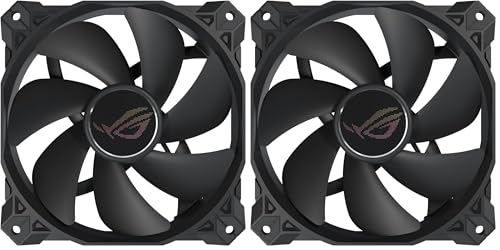
ASUS ROG Strix XF120 120mm PWM Fan 2-Pack
Best for: quiet CPU heatsinks requiring zero-RPM idle
- Compatible Device
- Radiator, CPU Cooler (what this guide is about)
- Fan Size
- 120mm
- Max Fan Speed
- 1800 RPM
- Noise Level
- 22.5 dB(A)
- Connector Type
- 4-pin PWM
- Bearing Type
- MagLev
The ASUS ROG Strix XF120 120mm PWM Fan (2-Pack) provides cooling for CPU coolers and radiators. It runs from 250 to 1800 RPM using a 4-pin PWM header, and it stops completely at 0% PWM utilization. Its MagLev bearing is rated for 400,000 hours of operation at up to 22.5 dB(A). Integrated anti-vibration pads keep rattling down. This two-pack suits you if you need low-noise, high-durability cooling for your processor heatsink.
Pros
- Wide 250 to 1800 RPM speed range with 0% PWM shut-down support
- MagLev bearing rated for up to 400,000 hours of operation
- Low 22.5 dB(A) acoustic profile with anti-vibration mounts
- Backed by a 5-year warranty
Cons
- Lacks integrated RGB or LED lighting
- Maximum speed tops out at 1800 RPM
Good fit if
- You need a 120mm 4-pin PWM fan that can stop completely at zero load.
- You want quiet heatsink cooling rated at 22.5 dB(A).
- You prioritize long lifespan backed by a 400,000-hour MagLev bearing.
Skip if
- You want built-in RGB lighting effects for your CPU cooler.
- You require speeds higher than 1800 RPM for extreme cooling.
- You need a smaller 70mm, 80mm, or 92mm fan for a compact heatsink.
Verdict: ASUS ROG Strix XF120 120mm PWM Fan (2-Pack) delivers reliable, whisper-quiet CPU cooling backed by a 400,000-hour MagLev bearing and 0% PWM shutoff. It provides solid airflow and low acoustics without RGB clutter.
Specifications side by side
| Spec | Kingwin 80mm Black Cooling Fan | GDSTIME 70mm 3-Pin Cooling Fan 2-Pack | DS leddess 120mm 6-Pack RGB Fans | DORHEA 80mm 2-Pin DC Fans (2-Pack) | Thermalright 92mm Slim PWM Fan | LRONG 10-Port PWM SATA Fan Hub | Thermalright 120mm Slim ARGB Fan | DS leddess 120mm Static RGB Case Fans (6-Pack) | Thermalright 80mm PWM Case Fan | Thermalright 80mm Slim PWM Fan | Thermalright 80mm PWM Cooling Fan | Thermalright 120mm ARGB PWM Fan | Thermalright 120mm Dual Aperture ARGB Fan | Thermalright 120mm Slim ARGB Fan | ASUS ROG Strix XF120 120mm PWM Fan 2-Pack |
|---|---|---|---|---|---|---|---|---|---|---|---|---|---|---|---|
| Fan Size | 80mm | 70mm | 120mm | 80mm | 92mm | not specified | 120mm | 120mm | 80mm | 80mm | 80mm | 120mm | 120mm | 120mm | 120mm |
| Max Fan Speed | not specified | 2500 RPM | not specified | 4500RPM | 2700RPM | not specified | 1500RPM | not specified | 2200RPM | 2200 RPM | 2200 RPM | 1500RPM | 1500RPM | 1500 RPM | 1800 RPM |
| Max Airflow | not specified | 18.7 CFM | not specified | 41CFM | 42.58CFM | not specified | 52CFM | not specified | 34CFM | 28.4 CFM | 34 CFM | 47.6CFM | 47.6CFM | 52 CFM | not specified |
| Static Pressure | not specified | not specified | not specified | not specified | 1.33mm H2O | not specified | 1.24mm H2O | not specified | 2.7mm H2O | 1.25 mmH2O | 2.7 mmH2O | 1.31mm H2O | 1.31mm H2O | 1.24 mmH2O | not specified |
| Noise Level | not specified | 25.8 dBA | not specified | 37.9dBA | ≤22.4dBA | not specified | ≤24.1dBA | not specified | ≤24dBA | ≤23.3 dBA | ≤24 dBA | ≤ 23.2dBA | ≤ 23.2dBA | 24.1 dBA | 22.5 dB(A) |
| Connector Type | not specified | 3-pin | 6-pin | 2pin-ph2.5 | 4-pin PWM | not specified | 4-pin PWM | Molex | 4pin pwm | 4-pin PWM | 4-pin PWM | 4pin pwm | 4pin pwm | 4-pin PWM | 4-pin PWM |
| Bearing Type | Long Life Bearing | Sleeve Bearing | not specified | not specified | Liquid | not specified | not specified | not specified | S-FDB V2 | S-FDB V2 | S-FDB V2 | S-FDB | S-FDB | not specified | MagLev |
| Lighting Type | not specified | not specified | RGB | not specified | not specified | not specified | ARGB | Static RGB LED | not specified | not specified | not specified | ARGB | ARGB | ARGB | not specified |
| Lighting | not specified | not specified | RGB | not specified | not specified | not specified | ARGB | RGB | not specified | not specified | not specified | ARGB | ARGB | ARGB | not specified |
| Compatible Device | CPU Cooler | CPU Cooler | Radiator, CPU Cooler | Radiator, CPU Cooler | CPU Cooler | CPU Cooler | CPU Cooler | Radiator, CPU Cooler | CPU Cooler | CPU Cooler | CPU Cooler | CPU Cooler | CPU Cooler | CPU Cooler | Radiator, CPU Cooler |
| Dimensions | 0.98 × 3.15 × 3.15 inches | 2.76 × 2.76 × 0.59 inches | 4.72 × 4.72 × 0.98 inches | not specified | 3.62 × 0.59 × 3.62 inches | not specified | 0.59 × 4.72 × 4.72 inches | 4.72 × 0.98 × 4.72 inches | 3.15 × 0.98 × 3.15 inches | 3.15 × 0.98 × 3.14 inches | 0.98 × 3.15 × 3.15 inches | 4.72 × 0.98 × 4.72 inches | 4.72 × 0.98 × 4.72 inches | 4.72 × 0.59 × 4.72 inches | 4.7 × 4.7 × 0.9 inches |
| Weight | 2.43 ounces | 1.29 ounces | not specified | not specified | 1.6 ounces | 2.08 ounces | 3.53 ounces | not specified | not specified | 3.53 ounces | 3.53 ounces | 3.53 ounces | 3.53 ounces | 3.53 ounces | 14.1 ounces |
| Width | not specified | not specified | not specified | 0.98 inches | not specified | not specified | not specified | not specified | not specified | not specified | not specified | not specified | not specified | not specified | not specified |
| Height | not specified | not specified | not specified | 3.15 inches | not specified | not specified | not specified | not specified | not specified | not specified | not specified | not specified | not specified | not specified | not specified |
| Size | 1 Count (Pack of 1) | 70x15mm | not specified | not specified | 92x92x15mm | not specified | not specified | not specified | not specified | not specified | not specified | not specified | not specified | not specified | 120mm (2 Pack) |
| Color | Black | not specified | Ring | 2pcs 12V 2pin | Grey | black | not specified | White | TL-B9W | not specified | not specified | BLACK | BLACK | not specified | ROG Strix XF120/XF120A1/BK// |
| Model | CF-08LB | GDT7015S12V3P | A06 | D15779-1 | TL-9015 | CFHCPUMS-74x48-1 | TL-C12015W-S | DS-E06 | TL-B8W | TL-8015 | TL-B8 | TL-S12 X3 | TL-S12-S X3 | TL-C12015W-S D6 | 90DA0010-B09000 |
If you need an entire heatsink rather than a replacement fan, compare the best CPU coolers with fan to match thermal specifications to your processor.
How to Choose CPU Cooler Fans
-
Evaluating Bearing Types and Noise
Look at the fan bearing and noise ratings if you want quiet CPU cooling. Sleeve and standard bearings wear out faster under constant heat. Magnetic levitation or fluid dynamic bearings offer extended lifespans and smoother rotation. If your motherboard supports zero-RPM modes, pick a fan with 0% PWM shutoff capability to eliminate acoustic output during low processor activity. For example, the ASUS ROG Strix XF120 120mm PWM Fan includes a 400,000-hour MagLev bearing and full PWM shutoff for silent idle operation.
-
Checking Static Pressure Ratings
Examine static pressure specs when buying a replacement fan for dense heatsinks. Standard open case airflow ratings do not guarantee air will pass through tightly packed heatsink fins. Fans with high static pressure ratings, measured in mm H2O, force air directly between cooling fins where resistance is highest. If your compact cooler has restrictive fin spacing, prioritize static resistance over raw volumetric airflow. The Thermalright 80mm PWM Case Fan provides 2.7 mm H2O static pressure alongside 34 CFM airflow to push heat off dense heatsinks.
-
Adding Dedicated Fan Hubs
Check your motherboard header count before adding multiple cooler and chassis fans. A single CPU fan header cannot power numerous fans directly without overloading the motherboard circuitry. If you plan to install twin-fan tower coolers alongside case intake fans, install a powered distribution hub. This supplies external power directly from your power supply while reading a single PWM curve from your board. The LRONG 10-Port PWM SATA Fan Hub connects up to 10 fans to one motherboard PWM header, using dedicated SATA power to prevent electrical strain.
-
Selecting High-RPM Industrial Flow
Consider your thermal priorities if you operate compact machines in hot environments or server enclosures. Standard quiet fans often spin below 2000 RPM, which might not remove heat fast enough in enclosed chassis. In setups where maximum heat transfer matters more than low acoustic levels, high-velocity fans offer significant airflow volume. Look for units designed for direct 12V output with high rotational speed. The DORHEA 80mm 2-Pin DC Fans deliver 4500 RPM and 41 CFM of airflow, making them suitable when static volume takes precedence over silent operation.
-
Simplifying Cable Management Runs
Plan your cable management route when wiring dual fans to a CPU cooler heatsink. Running separate fan cables across your motherboard creates clutter near memory slots and motherboard VRM heatsinks. Fans featuring integrated pass-through or daisy-chain connectors allow you to link multiple units in sequence, directing a single combined lead back to your motherboard header. The Thermalright 120mm ARGB PWM Fan includes a 55cm daisy-chain PWM cable, which lets you interconnect fans easily while maintaining clean cable paths inside compact or mid-tower cases.
-
Reducing Heatsink Vibration Transfer
Account for mechanical vibration between fan frames and metal heatsinks during operation. Hard plastic fan corners resting directly against metal cooling fins can create audible rattling as motor speeds fluctuate. Selecting fans equipped with integrated silicone pads helps absorb mechanical oscillations before they transfer into your cooler structure or chassis panels. For example, the DS leddess 120mm 6-Pack RGB Fans include silicone anti-vibration padding on the frame, keeping the fans firmly seated while dampening excess resonance during system loads.
Frequently asked questions
What connector types do CPU cooler fans use?
CPU cooler fans use 2-pin, 3-pin, 4-pin PWM, or dedicated multi-pin power connectors. For example, the DORHEA 80mm uses a 2-pin connection running at 4500 RPM, while the GDSTIME 70mm uses a 3-pin connector. The Thermalright TL-B8W and ASUS ROG Strix XF120 rely on 4-pin PWM headers for automatic speed adjustments based on your processor temperature. Multi-fan packs like DS leddess models use 6-pin or Molex options.
What is the benefit of a 4-pin PWM CPU cooler fan over a 3-pin fan?
A 4-pin PWM fan allows precise motherboard speed control based on current thermal loads. Models like the Thermalright TL-9015 or ASUS ROG Strix XF120 use pulse-width modulation to scale RPMs dynamically, with the XF120 supporting a 0% PWM shutoff for silent idle states. In contrast, 3-pin fans like the GDSTIME 70mm adjust speeds strictly via DC voltage variation or run at continuous fixed speeds.
How do you power multiple CPU cooler fans if your motherboard lacks headers?
You can use a dedicated fan hub or daisy-chain cables to power multiple fans from a single port. The LRONG 10-Port Fan Hub connects up to ten PWM fans to one motherboard header using SATA power. Alternatively, fans like the Thermalright TL-S12 X3 include a 55cm daisy-chain PWM cable, while DS leddess models draw constant illumination and cooling power directly from Molex connectors.
Why does static pressure matter for CPU heatsink fans?
Static pressure measures a fan's ability to push air through dense heatsink fins rather than open space. Compact coolers create significant resistance, requiring focused force to move air across the metal surface. For instance, the Thermalright TL-B8W provides 2.7 mm H2O static pressure alongside 34 CFM airflow, ensuring air travels completely through tight cooling fins rather than deflecting outward.
Can you install RGB or ARGB fans on a standard CPU cooler?
You can install RGB or ARGB fans on standard CPU coolers if your case and motherboard support the wiring. The Thermalright TL-C12015W-S and TL-S12-S X3 provide addressable RGB lighting alongside standard 4-pin PWM control. Other options, like the DS leddess 120mm 6-pack, include remote-controlled RGB systems with silicone anti-vibration pads to dress up radiators and CPU heatsinks without requiring motherboard lighting software.
What does zero-RPM mode mean on a CPU cooler fan?
Zero-RPM mode allows a cooling fan to shut down completely when processor temperatures stay below a designated thermal threshold. The ASUS ROG Strix XF120 features a 0% PWM shutoff capability that stops blade rotation entirely during light workloads. This mode eliminates acoustic noise completely at idle and prevents unnecessary mechanical wear on the fan's 400,000-hour MagLev bearing.
Are 120mm case fans interchangeable with 120mm CPU cooler fans?
Many 120mm case fans share the same outer mounting dimensions as 120mm CPU cooler fans. However, cooler installations often demand specific features such as slim 15mm frames for memory clearance, like the Thermalright TL-C12015W-S. Standard-depth options like the ASUS ROG Strix XF120 or DS leddess 120mm fans measure roughly 25mm thick and work on both radiators and heatsinks provided mounting clips match.